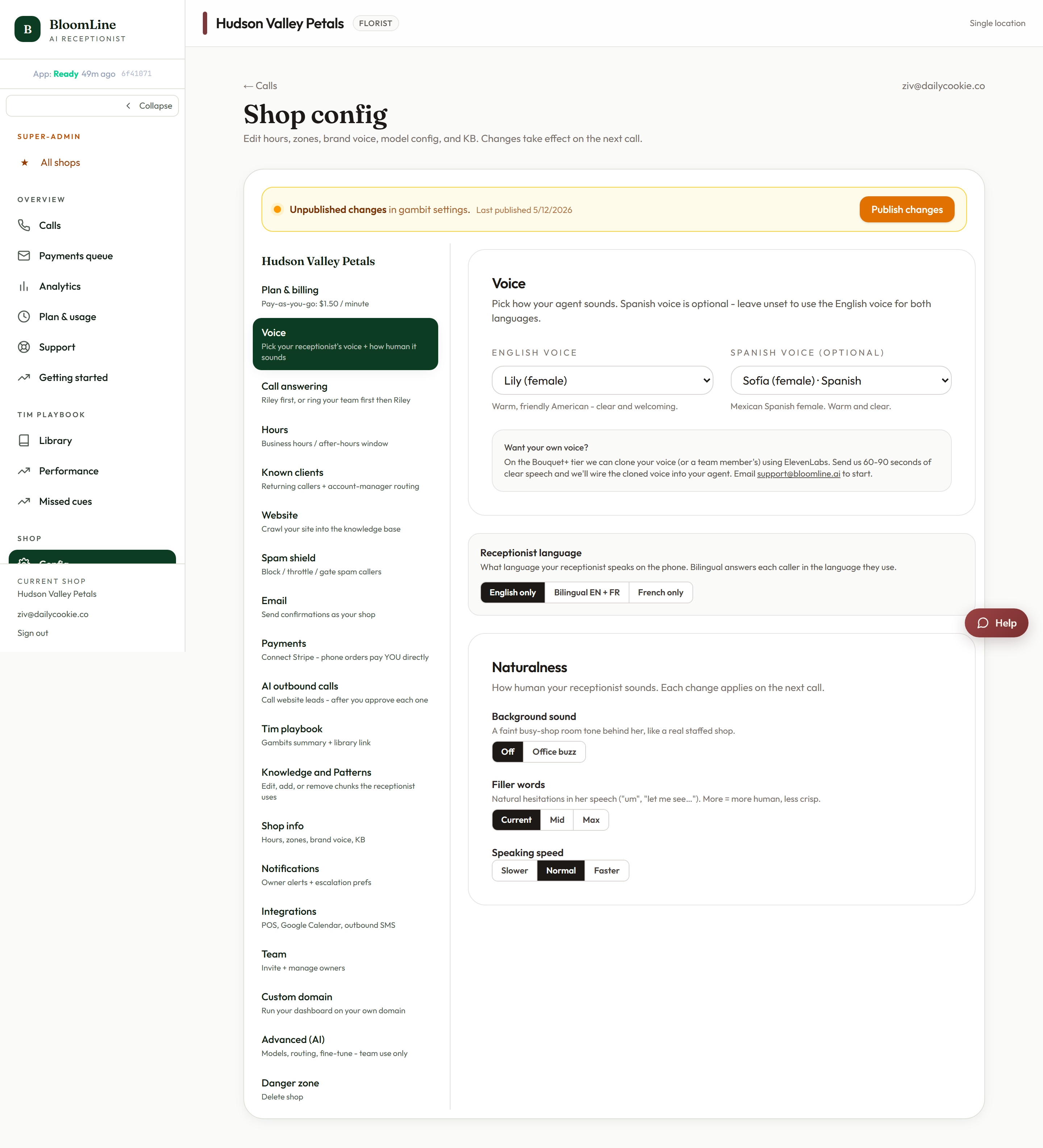
Small audio details make a big difference in how natural your receptionist sounds. The Naturalness section of the Voice tab gives you three dials: background sound, filler words, and speaking speed. All three live at https://km-florist-receptionist.vercel.app/dashboard/shop?tab=brain, and changes are effective on the next call after you save.
Background sound
- Off - a clean, silent line. Callers hear only the voice.
- Office buzz - a soft ambient shop sound behind the voice, which makes the call feel like it is being answered from a real counter rather than a studio.
Filler words
Real people say "um", "let me see", and "sure thing" while they think. This control sets how often Riley does the same:
- Current - the standard amount.
- Mid - noticeably more conversational hesitations.
- Max - the most casual, human-sounding setting.
More filler makes the voice feel warmer and less robotic, but it also adds a little length to each response. Many shops land on Mid.
Speed
- Slower - easier for older callers or complex orders with lots of details to write down.
- Normal - the default pace.
- Faster - snappier for shops whose callers tend to be in a hurry.
How to change and verify
- Open https://km-florist-receptionist.vercel.app/dashboard/shop?tab=brain and scroll to the Naturalness section.
- Pick your background, filler, and speed options.
- Click Save. The settings apply on the next call.
- Place a test call from the Opening line studio (https://km-florist-receptionist.vercel.app/dashboard/greeting) and listen to the result on your own phone. Adjust until it sounds like your shop.
A good rule of thumb: turn one dial at a time and re-test, so you know exactly which change made the difference.
Still stuck? Submit a ticket from this help center and we'll take it from there.
Was this article helpful?
That’s Great!
Thank you for your feedback
Sorry! We couldn't be helpful
Thank you for your feedback
Feedback sent
We appreciate your effort and will try to fix the article