If your shop serves French-speaking customers, Riley can answer in French - exclusively, or bilingually alongside English - with a proper Quebec or France accent. All the language settings live in the Voice tab at https://km-florist-receptionist.vercel.app/dashboard/shop?tab=brain.
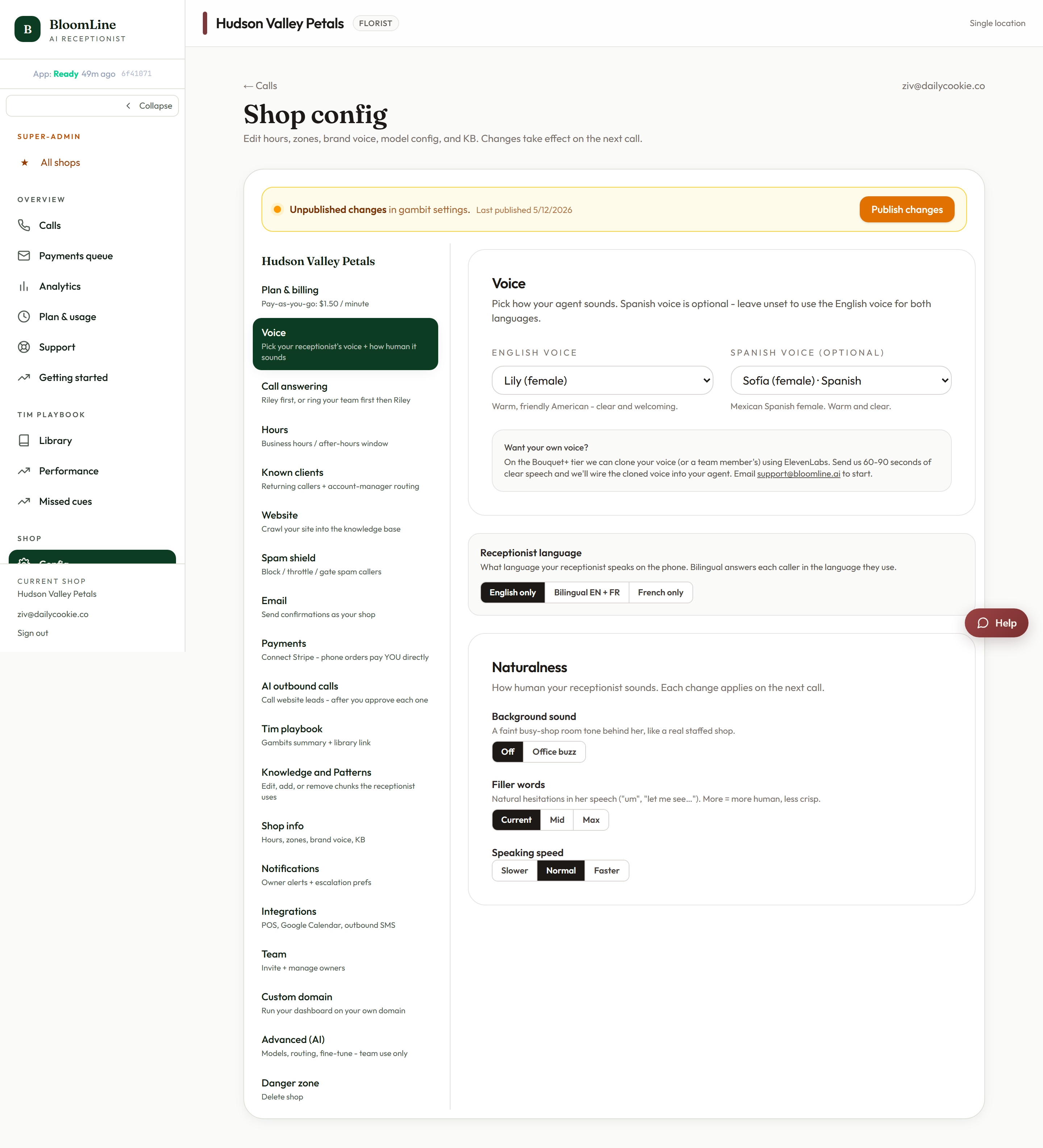
Pick a language mode
- English only - the default. Every call runs in English.
- Bilingual EN + FR - Riley handles both languages and follows the caller's lead. The right choice for most Canadian shops.
- French only - every call runs in French.
Choose the accent and voice
- Set the French accent: Quebec (fr-CA) or France (fr-FR). This matters more than it sounds - a Montreal caller notices a Parisian accent immediately, and vice versa.
- Pick a voice from the French voice picker.
- Click Save. Like all Voice tab changes, it takes effect on the next call.
Decide which language greets first
In bilingual mode, the greeting language order setting controls the very first words of the call:
- English first - English greeting, switching to French if the caller responds in French.
- French first - the reverse.
- Both - a two-language greeting so every caller hears their language up front.
Match this to your neighborhood: a shop in Gatineau probably wants French first or Both; a Toronto shop with some French clientele is fine with English first.
How Riley handles hard-to-understand callers
Language switching pairs with a built-in clarify rule: if a caller's whole utterance is garbled - heavy accent, bad line, background noise - Riley politely asks them to repeat, at most twice. If it still can't understand, it offers a callback instead of guessing at an order. Nobody gets trapped in a "sorry, can you say that again?" loop, and no order gets taken on a misheard address.
Verify
Place a test call from the Opening line studio and open in French. Riley should follow you into French with the accent you chose. If you set Both as the greeting order, you should hear the two-language opening.
Looking for Spanish? A Spanish greeting variant and Spanish voice picker are available too - see "Change your receptionist's opening greeting" and the Voice tab's Spanish voice picker.
Still stuck? Submit a ticket from this help center and we'll take it from there.
Was this article helpful?
That’s Great!
Thank you for your feedback
Sorry! We couldn't be helpful
Thank you for your feedback
Feedback sent
We appreciate your effort and will try to fix the article