You decide who picks up first on every call: Riley can answer instantly, or your team's phone can ring first with Riley stepping in only when nobody answers. This lives in the Call answering tab at https://km-florist-receptionist.vercel.app/dashboard/shop?tab=call-answering.
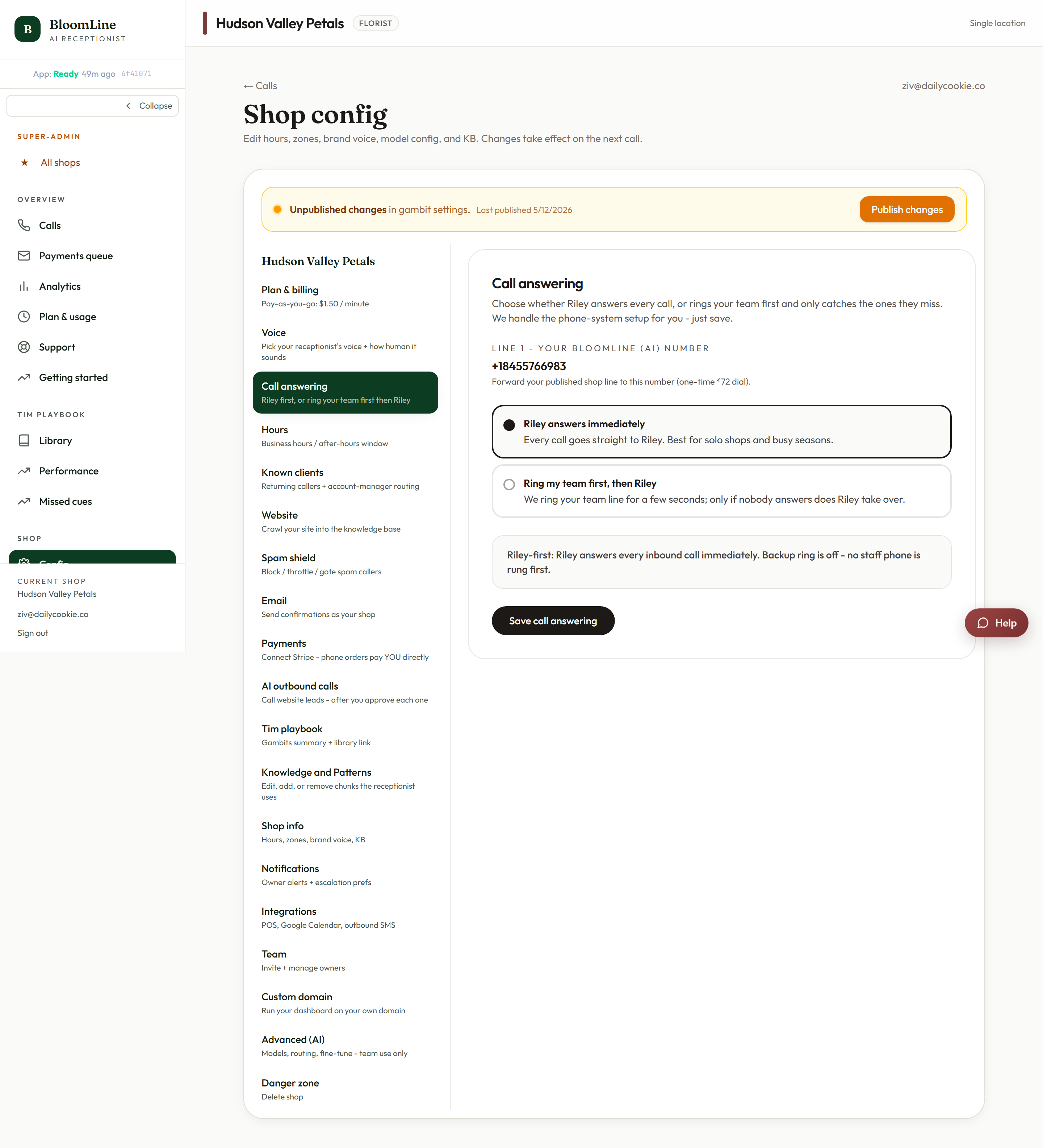
The two modes
- Riley answers immediately - every call is picked up by your AI receptionist on the first ring. Nothing is ever missed, and your team is never interrupted mid-arrangement. This is the right mode for most shops, and it is essential after hours.
- Ring my team first, then Riley - your team's phone rings for a few seconds first. If somebody picks up, they take the call like normal. If nobody answers, Riley takes over seamlessly and the caller never hears voicemail. This is the backstop mode for shops that want humans handling calls whenever they are free.
How to set it up
- Open https://km-florist-receptionist.vercel.app/dashboard/shop?tab=call-answering.
- Choose one of the two mode options.
- If you picked backup mode, enter the team phone number - the line that should ring first. Make sure this is a phone a human actually answers, not a line that forwards back to BloomLine.
- Click Save call answering. Saving also re-routes your number, so the change applies to the very next inbound call.
What backup mode feels like for the caller
The caller hears normal ringing while your team line rings. After a few seconds with no answer, Riley picks up with your configured greeting. There is no awkward gap and no "please hold" - from the caller's side it just sounds like the shop answered.
Which mode should you pick?
- Busy shop where staff are usually elbow-deep in stems: Riley answers immediately. Callers get instant service and your team stays focused.
- Small shop where the owner likes to take calls when free: Ring my team first. You keep the personal touch and Riley catches everything you can't.
You can switch modes any time - many shops run "ring my team first" during quiet seasons and flip to "Riley answers immediately" for Valentine's and Mother's Day weeks.
Still stuck? Submit a ticket from this help center and we'll take it from there.
Was this article helpful?
That’s Great!
Thank you for your feedback
Sorry! We couldn't be helpful
Thank you for your feedback
Feedback sent
We appreciate your effort and will try to fix the article