Your hours drive how Riley talks to callers - which greeting fires, what it says about when you are open, and how after-hours calls are framed. Set them once in the Hours tab at https://km-florist-receptionist.vercel.app/dashboard/shop?tab=hours, and add special dates for holidays so nothing surprises your callers.
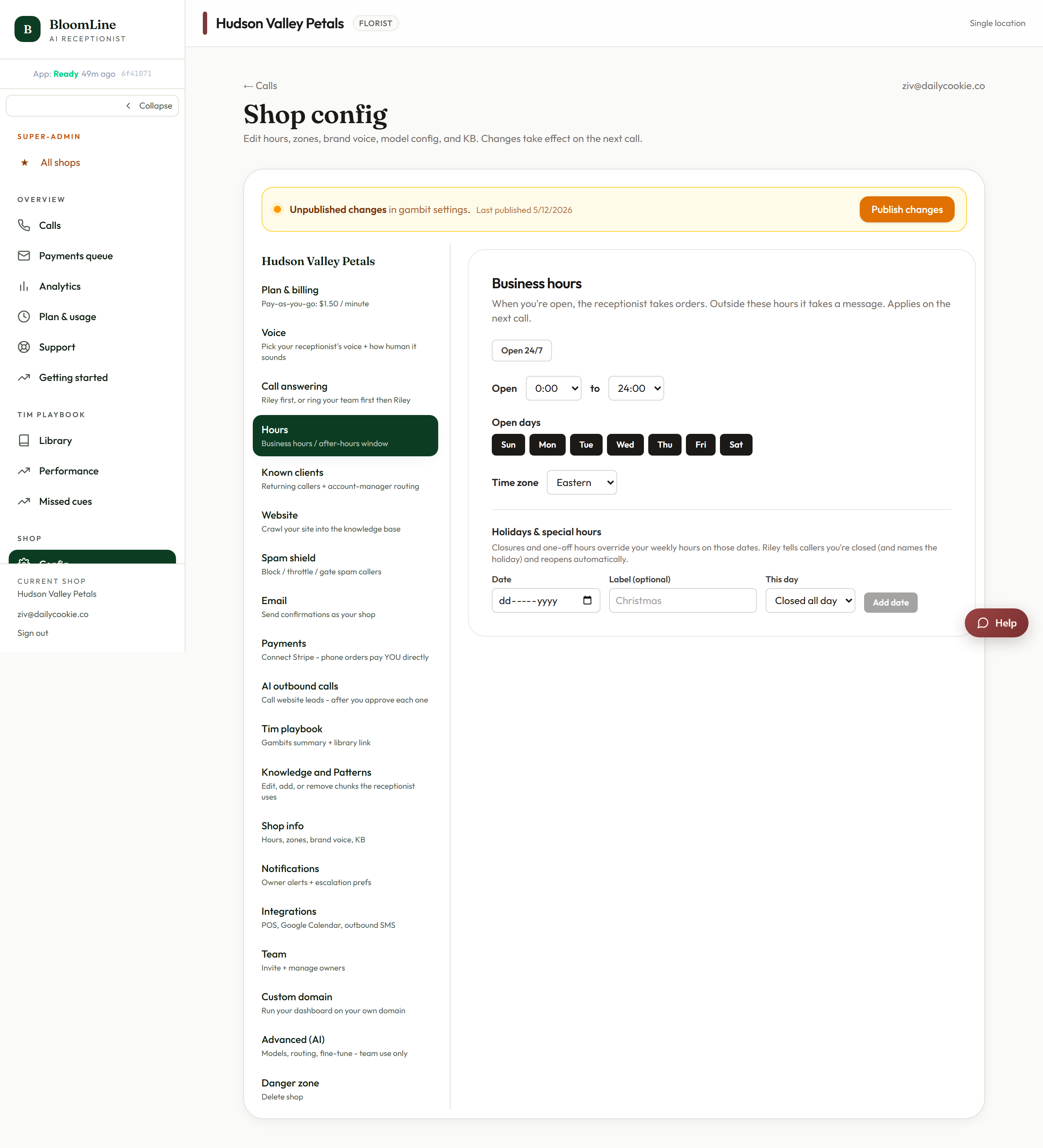
Set your weekly hours
- Open https://km-florist-receptionist.vercel.app/dashboard/shop?tab=hours.
- Pick your time zone from the select at the top. Get this right first - every open and close time is interpreted in this zone.
- For each day of the week, set the Open and Close times.
- For days you are closed, use the Closed all day option.
Add holiday special hours
Special hours override the weekly grid for a single date - perfect for Christmas, Valentine's Day extended hours, or a one-off early close:
- In the Special hours section, click Add date.
- Pick the Date and give it a Label (for example "Christmas").
- Set that day's open and close times, or mark it closed.
- Use Remove on any row you no longer need.
With special hours in place, the after-hours greeting fires correctly on the holiday itself, so callers on Christmas Day hear the right message instead of your normal Tuesday hours.
When BloomLine picks up at all
Separately from your business hours, the Setup Assistant's Hours step (https://km-florist-receptionist.vercel.app/dashboard/setup) controls when BloomLine answers: Always, or only after-hours. "Always" means Riley handles every call around the clock. "After-hours" means your team answers during opening hours as usual and Riley covers nights, early mornings, and days off.
Why accurate hours matter
- Riley quotes your hours to callers who ask - wrong hours means wrong answers on the phone.
- The Open hours / After-hours greeting variants (set in the Opening line studio) switch based on this schedule.
- Delivery-related promises like same-day cutoffs make more sense to callers when the hours behind them are right.
After changing hours, place a quick test call from the Opening line studio to confirm the correct greeting variant plays.
Still stuck? Submit a ticket from this help center and we'll take it from there.
Was this article helpful?
That’s Great!
Thank you for your feedback
Sorry! We couldn't be helpful
Thank you for your feedback
Feedback sent
We appreciate your effort and will try to fix the article