Your receptionist doesn't have to be called Riley, and it doesn't have to sound like the default voice either. The name lives in the Opening line studio, and the voice lives in the Voice tab of Shop config. Both changes take effect on the next call.
Rename your receptionist
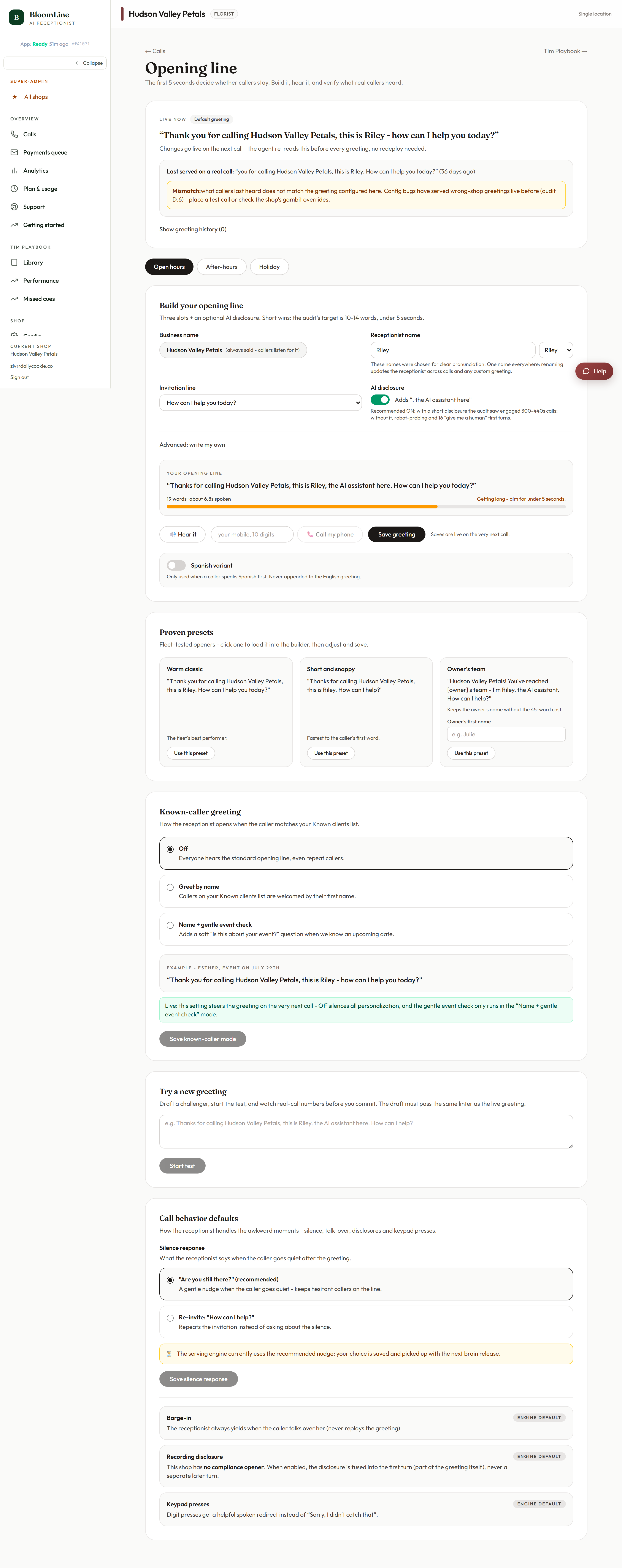
- Open the Opening line studio at https://km-florist-receptionist.vercel.app/dashboard/greeting.
- Find the receptionist name field near the top. It is a tested-name picker - the suggestions are names that have performed well on real calls, but you can type any name you like.
- Click Save name. You will see "Saved - goes live on the next call".
Change the voice
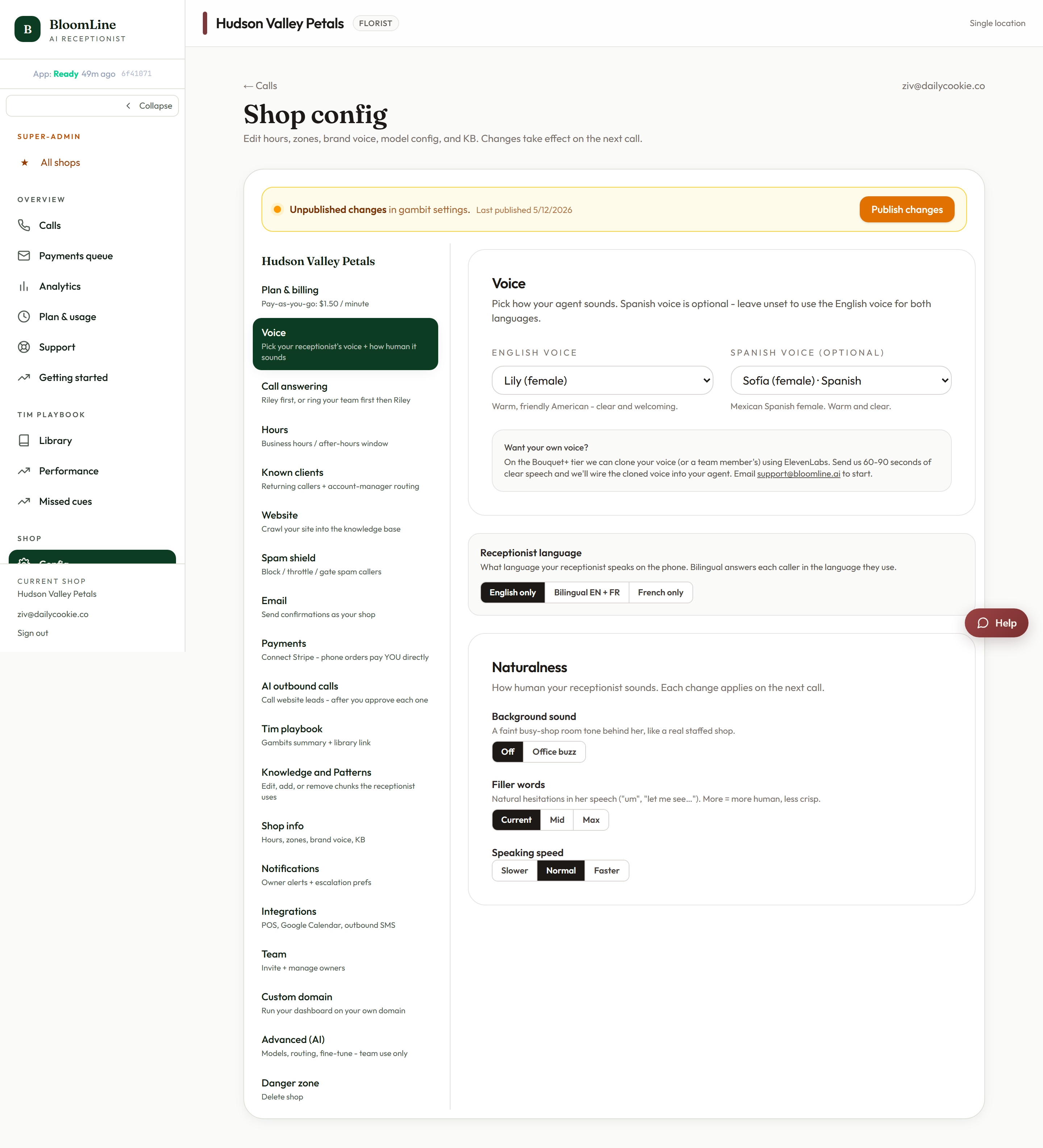
- Go to Shop config and open the Voice tab (https://km-florist-receptionist.vercel.app/dashboard/shop?tab=brain).
- Use the English voice picker to choose the voice callers hear. Pick the one that best fits your shop's personality.
- If you serve Spanish-speaking customers, choose a voice in the Spanish voice picker as well.
- Click Save. The new voice is effective on the next call.
Or do it during setup
If you are still working through the Setup Assistant, the Voice step at https://km-florist-receptionist.vercel.app/dashboard/setup covers the same ground in one place: name your receptionist, pick a voice, and choose whether you want a Spanish voice. Every step self-saves, so you can come back and change it later from the pages above.
Want it to sound more natural too?
Voice choice is only half the persona. The same Voice tab has Naturalness controls for background sound, filler words, and speaking speed - see the article "Make Riley sound more (or less) human" for those.
Verify the change
After saving, place a test call from the Opening line studio: enter your mobile number in the Test call block and listen. You should hear the new name in the greeting and the new voice throughout.
Still stuck? Submit a ticket from this help center and we'll take it from there.
Was this article helpful?
That’s Great!
Thank you for your feedback
Sorry! We couldn't be helpful
Thank you for your feedback
Feedback sent
We appreciate your effort and will try to fix the article