If you want your cost records to reflect what your providers actually billed - not just estimates - you can paste a CSV of invoice costs straight into BloomLine's cost ledger. It takes about a minute per invoice.
Open the import page
Go to https://km-florist-receptionist.vercel.app/dashboard/analytics/import-costs. The page is intentionally simple: one CSV textarea and an Import button.
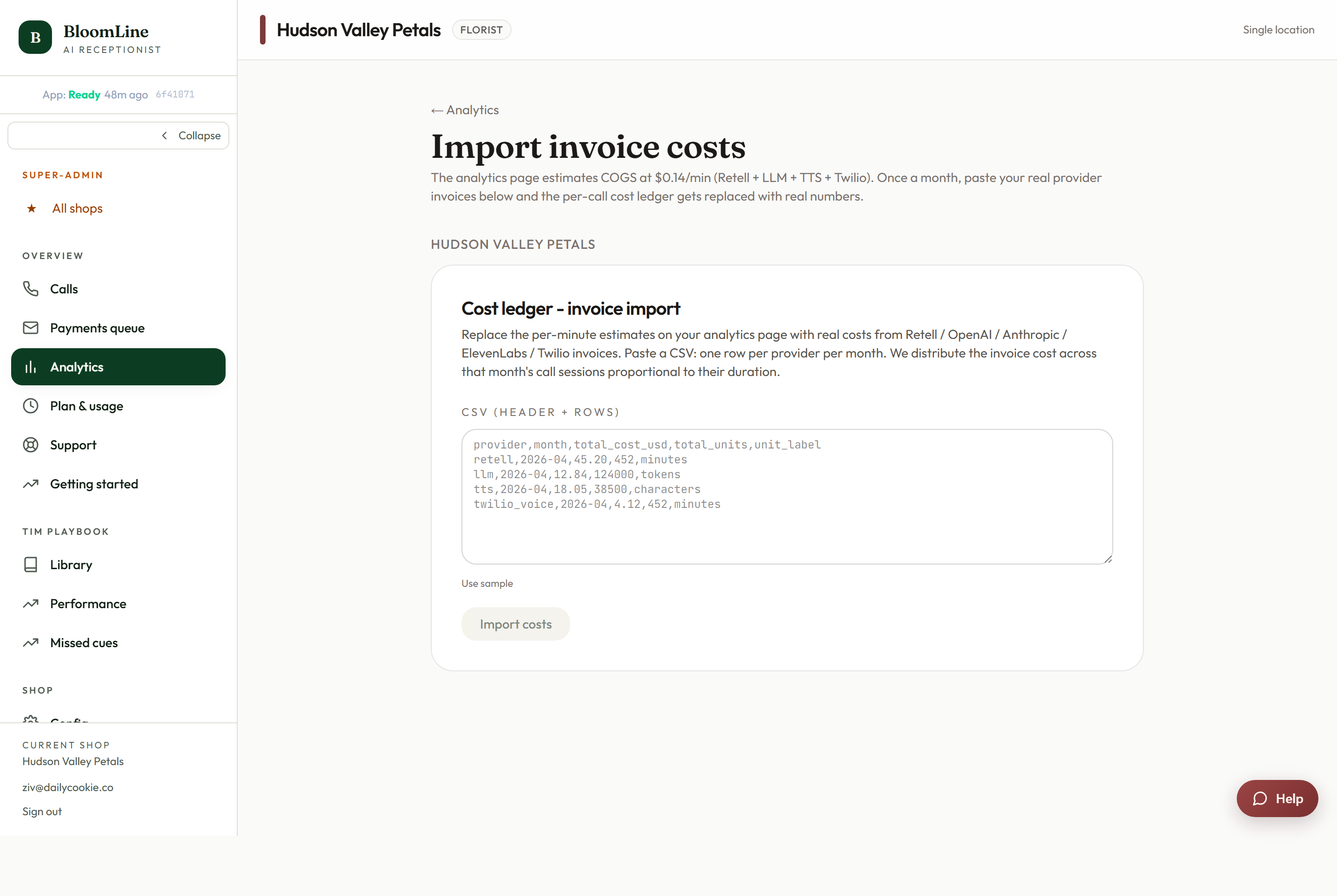
How to import invoice costs
- Export or copy the cost data from your provider invoice as CSV.
- Paste the whole thing into the textarea - the header row first, followed by the data rows. The page shows the expected header format, so match your columns to it before importing.
- Click Import. The rows are written into the cost ledger.
Tips for a clean import
- Always include the header row. The import reads the header to know which column is which, so a paste that starts mid-data will not line up.
- Check the format first. Compare your CSV's header against the expected format shown on the page and rename or reorder columns in a spreadsheet if needed before pasting.
- One invoice at a time. Importing each provider invoice as its own paste keeps it easy to tell what has already been recorded if you are ever unsure.
Why bother?
Estimated costs are fine for a glance, but invoices are the truth. Importing them keeps the ledger aligned with what you actually paid, which makes any cost review you do later - month over month, provider vs provider - trustworthy instead of approximate.
Where this fits
This page lives under Analytics because it feeds the cost side of your numbers. For the call-side picture - volume, intents, action cards, and A/B results - see the article on the Analytics page.
Still stuck? Submit a ticket from this help center and we'll take it from there.
Was this article helpful?
That’s Great!
Thank you for your feedback
Sorry! We couldn't be helpful
Thank you for your feedback
Feedback sent
We appreciate your effort and will try to fix the article