Robocalls and telemarketers waste your receptionist's time - and yours, when the summaries hit your inbox. Spam Shield screens calls before they ever reach Riley, and screened calls do not count toward your billed minutes, so the junk costs you nothing. Configure it at https://km-florist-receptionist.vercel.app/dashboard/shop?tab=spam-shield.
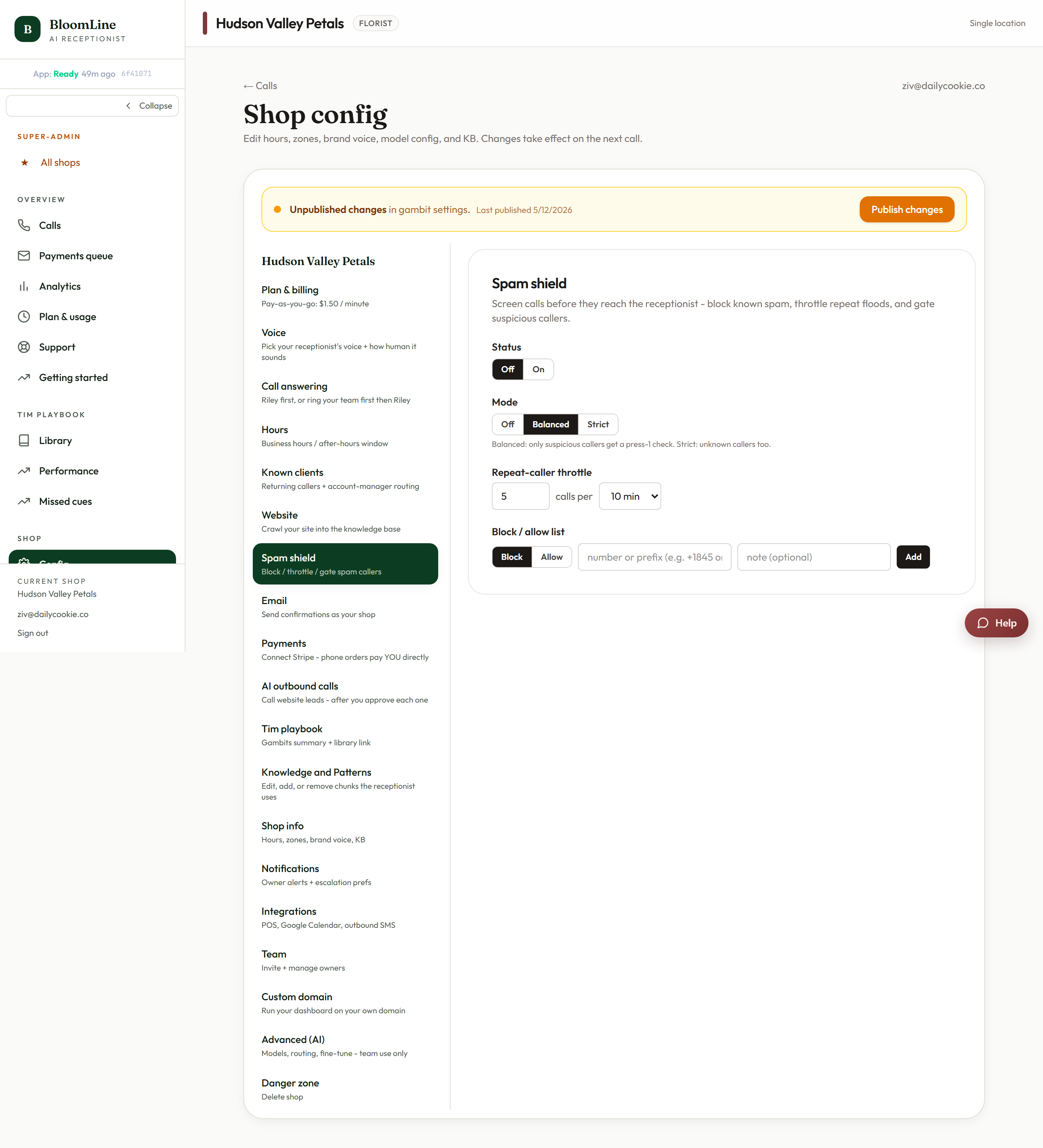
Turn it on
The status control switches Spam Shield Off or On. Turning it on asks you to confirm, because it re-points your live number so calls route through the screening layer first. Everything else about your setup stays the same - callers who pass screening reach Riley exactly as before.
Pick a screening mode
- Off - no screening, every call goes straight to Riley.
- Balanced - suspicious callers get a quick press-1 check before connecting. Real humans press a key without thinking; robodialers can't. This is the sweet spot for most shops.
- Strict - unknown callers get the press-1 check too. Maximum protection, at the cost of one extra step for first-time customers calling from new numbers.
Throttle repeat callers
The repeat-caller throttle stops a single number from flooding your line: set a limit of N calls per 10 minutes, per hour, or per day. Useful against aggressive robo-redialers and the occasional prank streak.
Block and allow specific numbers
The block/allow list gives you precise control:
- Choose Block or Allow for the rule.
- Enter a full number or a prefix (a prefix rule covers a whole range).
- Add a note so future-you remembers why ("persistent SEO telemarketer").
- Click Add. Use Remove on any rule you no longer need.
Allow rules are the safety valve: put your own cell, your delivery drivers, and key vendors on the allow list so they always sail through, even in Strict mode.
The billing bonus
Calls stopped at the screening layer are excluded from billed minutes. On BloomLine's flat per-minute pricing, that means the robocall wave that used to eat your line now costs you nothing at all.
If a real customer gets caught
It is rare, but if a legitimate caller reports trouble getting through, add their number to the allow list, or step the mode down from Strict to Balanced. Check the Calls list to confirm their calls are arriving normally afterward.
Still stuck? Submit a ticket from this help center and we'll take it from there.
Was this article helpful?
That’s Great!
Thank you for your feedback
Sorry! We couldn't be helpful
Thank you for your feedback
Feedback sent
We appreciate your effort and will try to fix the article