Everything you need to track your BloomLine usage lives in two places: the Plan & billing tab for the month's totals, and the Calls list for per-call detail. Here is where each one is and what it shows.
Your monthly totals: the Plan & billing tab
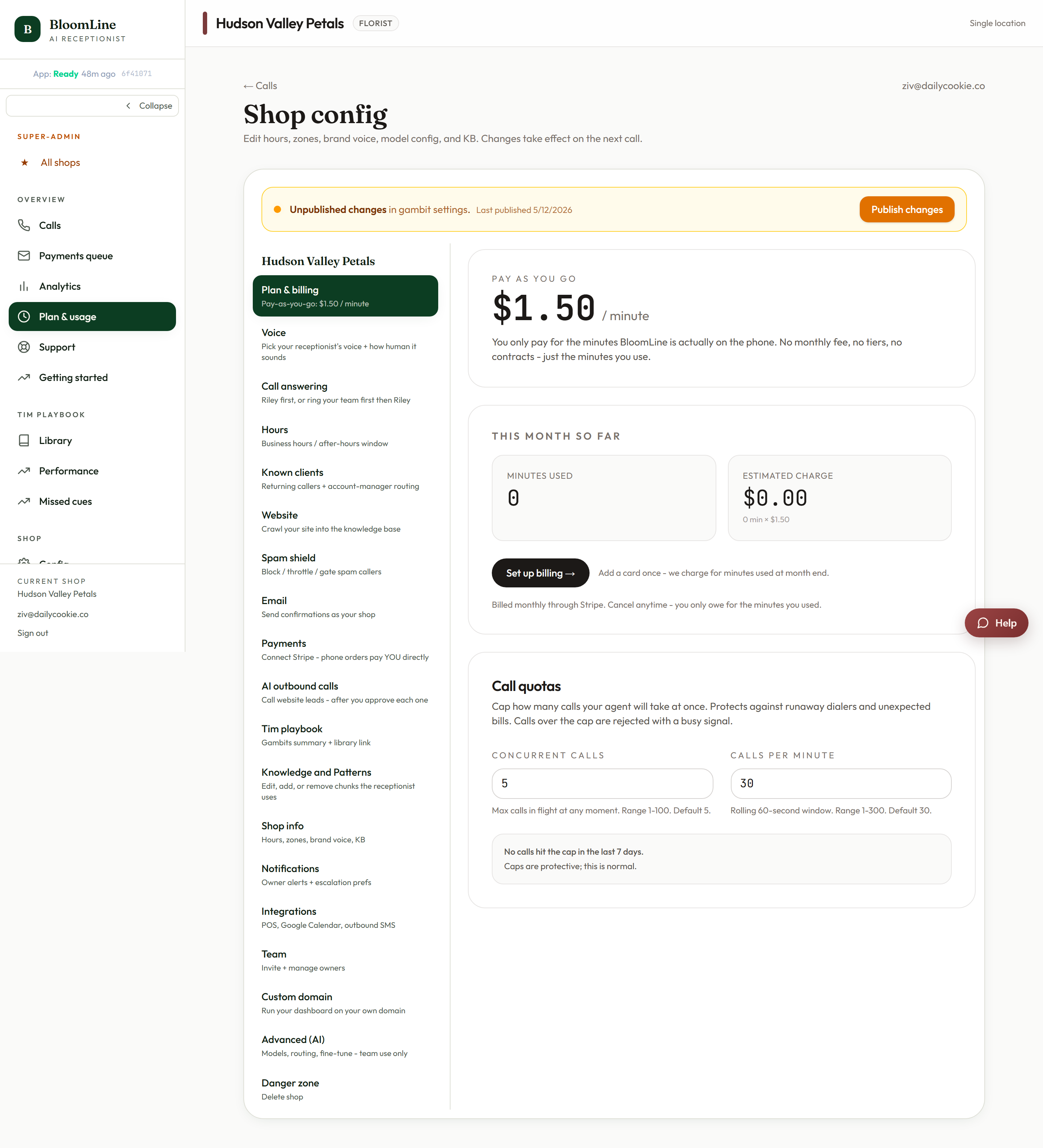
This tab is the single source of truth for what the current month will cost:
- Sign in and go to Shop settings, then open the Plan & billing tab (/dashboard/shop?tab=plan).
- At the top you'll see Minutes used this month and the Estimated charge, which is your minutes multiplied by the flat $1.50 rate.
- Look for the Billing active status chip. When it shows active, your card is on file and usage is being billed normally. If you don't see it, use the Set up billing button on the same tab to add a card.
Per-call detail: the Calls list
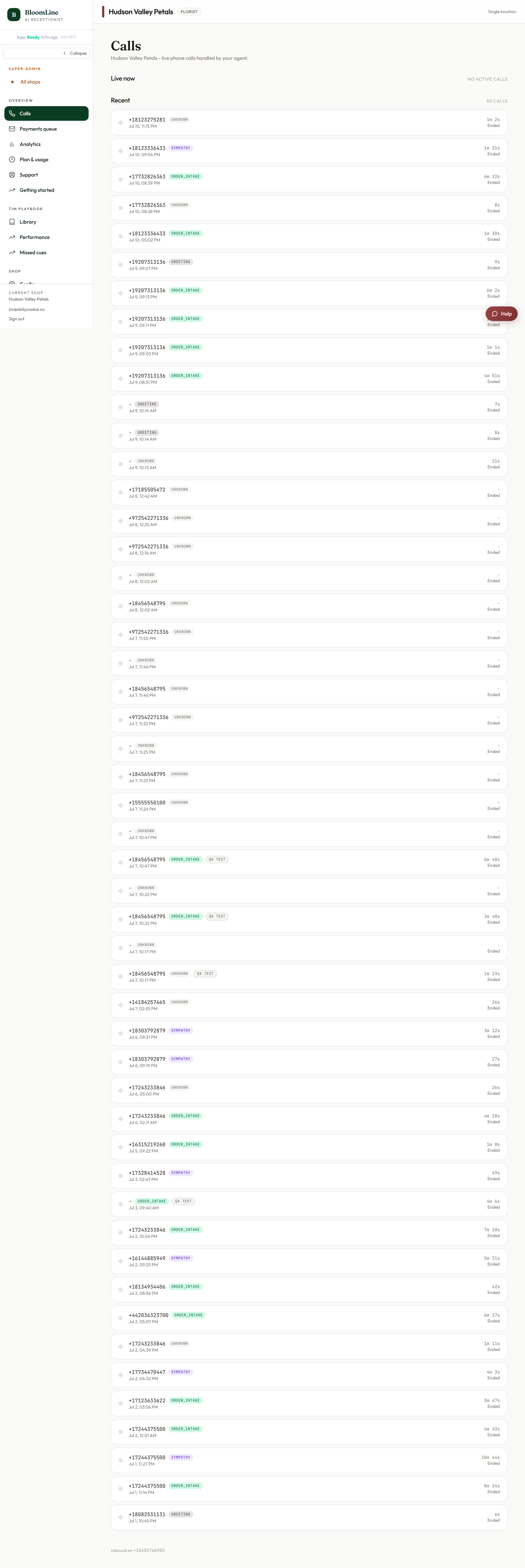
To see where those minutes came from, open the Calls list at /dashboard/calls. It shows your shop's last 50 calls and updates live while the page is open, so new calls appear the moment they happen. For each call you'll see:
- Duration - how long the call ran, which is what feeds your billed minutes.
- Intent and status - what the caller wanted and how the call ended.
- Mystery-shop tag - test calls from the quality suite are labeled so you can tell them apart from real customers.
Click any row to open the full call detail with the transcript and recording. Your inbound number is shown in the footer of the page for quick reference.
How the two views tie together
The durations you see on individual calls roll up into the Minutes used this month stat on the Plan & billing tab, and that total times $1.50 is your estimated charge. One thing you will never find in the totals: spam. Calls caught by Spam Shield are screened before they reach Riley and are excluded from billed minutes entirely.
Good habits
- Glance at the Plan & billing tab once a week so the monthly charge is never a surprise.
- When a number looks off, open the Calls list and scan the durations - long calls stand out immediately, and the transcript tells you exactly what happened on each one.
- Remember that mystery-shop test calls are tagged in the list, so you can separate quality testing from real customer traffic when reviewing.
Still stuck? Submit a ticket from this help center and we'll take it from there.
Was this article helpful?
That’s Great!
Thank you for your feedback
Sorry! We couldn't be helpful
Thank you for your feedback
Feedback sent
We appreciate your effort and will try to fix the article