If callers hear "an application error has occurred" or dead silence instead of Riley, work through two quick checks before opening a ticket: the public status page tells you whether this is a platform issue, and your Calls page tells you whether calls are reaching BloomLine at all. Together they usually pinpoint the problem in under two minutes, and they give the support team exactly what it needs to fix things fast.
Step 1: Check the status page
Open the public status page at /status. It shows a status chip for each of BloomLine's four components:
- Dashboard + API - the website you sign in to and its backend
- Live-call brain - the AI that talks to your callers
- Database (Supabase) - where your calls, transcripts, and settings live
- Voice infra (Retell) - the phone and voice layer
Each chip reads Operational, Degraded, Down, or Unknown.
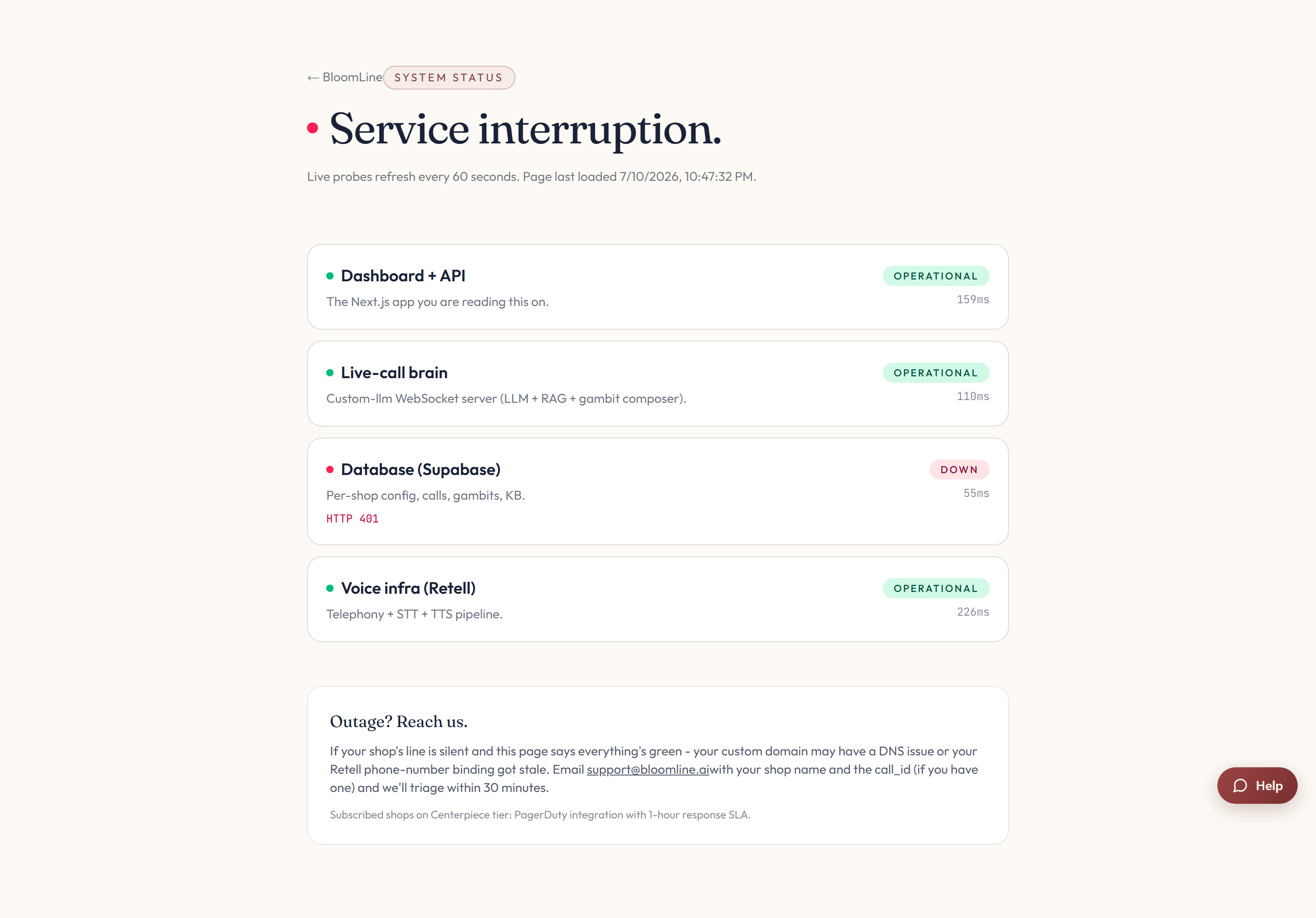
If any component shows Degraded or Down, that is almost certainly your answer: the problem is on our side, we already know something is wrong, and you can use the Outage? Reach us contact block right on the status page to reach the team directly.
Step 2: Check whether calls are reaching BloomLine
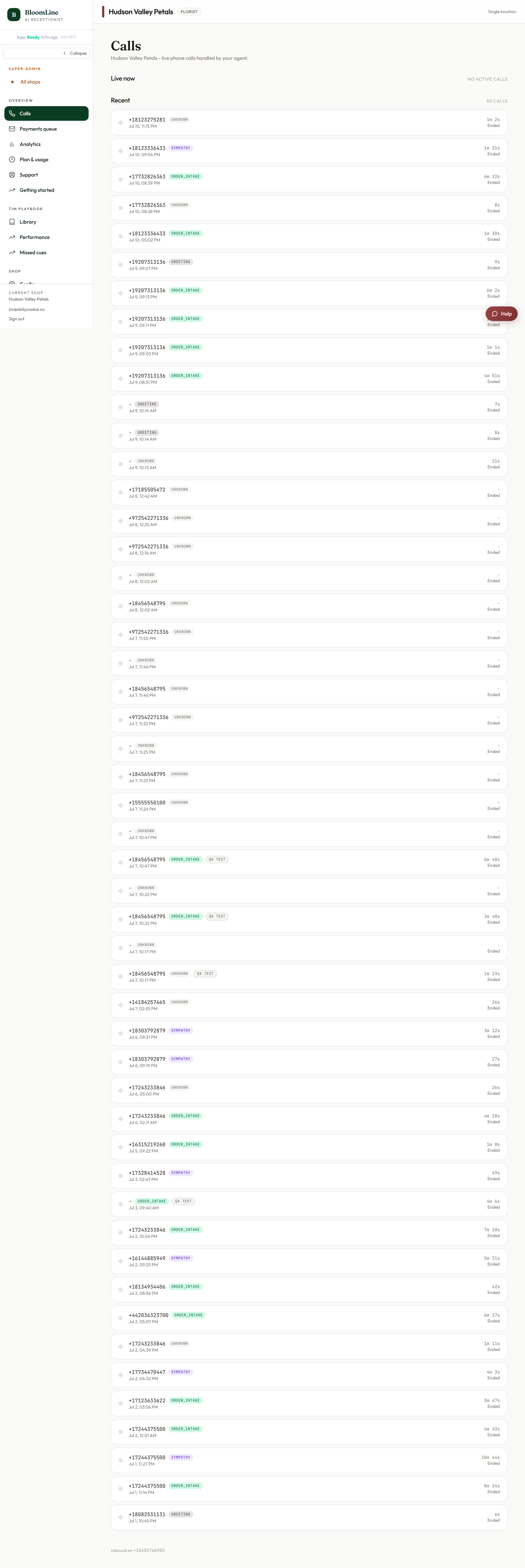
- Open Dashboard > Calls. This page updates in real time while it is open.
- Call your shop's number from your own cell phone.
- Watch the list. If your call appears as a new row within a few seconds, calls are reaching BloomLine and the issue is somewhere in how the call is being handled.
- If the list shows zero new calls while callers report errors or silence, calls are not reaching the system at all. That is a key detail to include in your ticket.
Step 3: Open a support ticket
If the status page is all green but callers still hit errors or silence, open a ticket at Dashboard > Support and pick the Urgent - calls broken, lost revenue priority. To help us fix it on the first pass, include:
- Your shop's BloomLine number
- The number you called from and the approximate time of the call
- Exactly what the caller heard: the "application error" message, silence, ringing that never connects, or something else
- Whether your test call appeared on the Calls page or not
- What the status page showed when you checked
With that in hand, the team can trace the exact call and get your line answering again as quickly as possible.
Still stuck? Submit a ticket from this help center and we'll take it from there.
Was this article helpful?
That’s Great!
Thank you for your feedback
Sorry! We couldn't be helpful
Thank you for your feedback
Feedback sent
We appreciate your effort and will try to fix the article