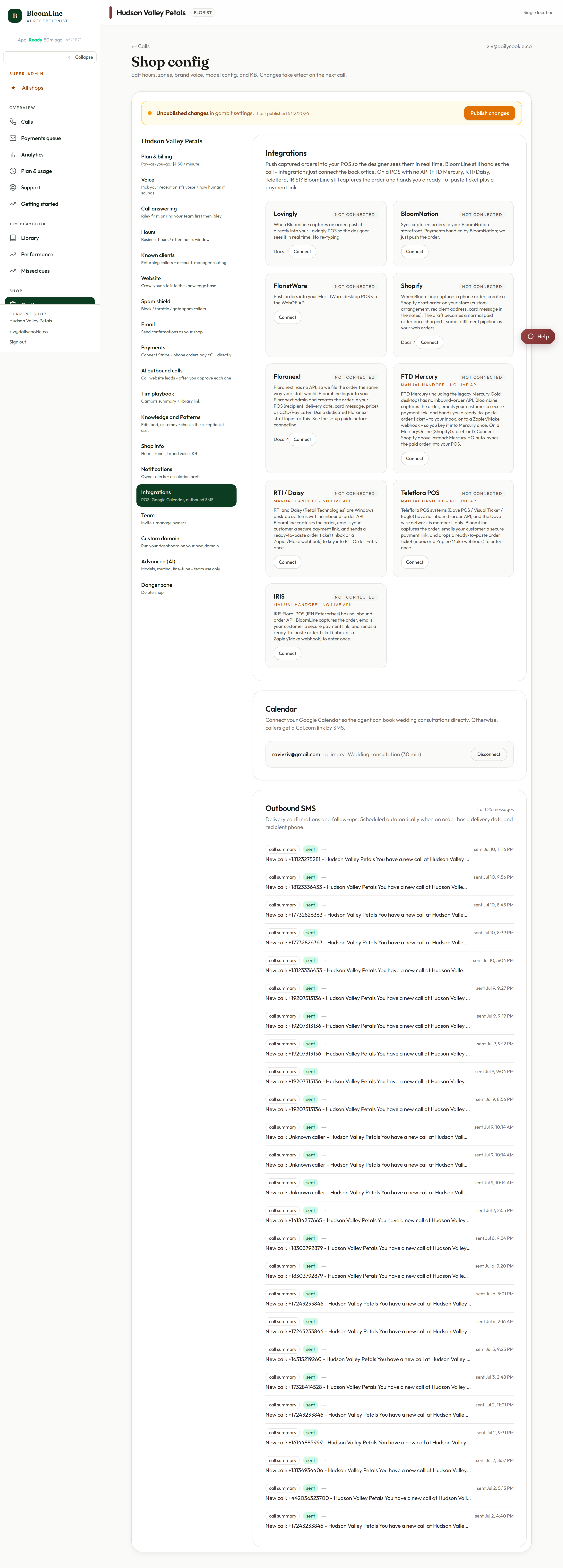
Outbound SMS lets BloomLine text your customers from your BloomLine number - the same number they call. It is what powers the mid-call payment links Riley texts to callers, and it is managed from the Outbound SMS panel in your Integrations tab.
Where to find it
- Open Shop config > Integrations.
- Scroll to the Outbound SMS panel.
- Review its status and settings, and click Publish changes if you change anything.
First, complete A2P registration
Outbound SMS depends on one legal prerequisite: A2P registration. US carriers require businesses to register before sending application-to-person text messages, and unregistered business texting gets filtered or blocked. BloomLine collects what is needed in the SMS legal (A2P) step of the Setup Assistant:
- Your legal business name
- Your EIN
- Your registered business address
If you have not completed that step yet, open the Setup Assistant at /dashboard/setup and work through the SMS legal step. Until registration is done, outbound texting from your number is not fully cleared with the carriers, so treat this as the gate for everything else in this article.
What outbound SMS is used for
- Mid-call payment links: Riley takes an order and texts the caller a payment link, so they pay on their own phone with no card number read out loud. If an automatic text ever fails, the link also appears in your Payments queue where you can copy it and send it manually.
- Texts callers actually expect: messages come from your BloomLine number - the number the customer just dialed - so they recognize who is texting and the thread stays in one place.
Good to know
- A2P registration is per business, using your real legal details. Make sure the name, EIN, and address you enter match your official records, since mismatches are the most common reason registrations stall.
- If your shop is outside the US or has an unusual registration situation, open a ticket before filling in the step and we will advise on the right path.
Still stuck? Submit a ticket from this help center and we'll take it from there.
Was this article helpful?
That’s Great!
Thank you for your feedback
Sorry! We couldn't be helpful
Thank you for your feedback
Feedback sent
We appreciate your effort and will try to fix the article