Connect Shopify and every order Riley takes on the phone shows up in your Shopify admin looking like a normal web order. Your team fulfills phone orders with the exact same workflow they already use, and nothing lives in two systems.
What you need
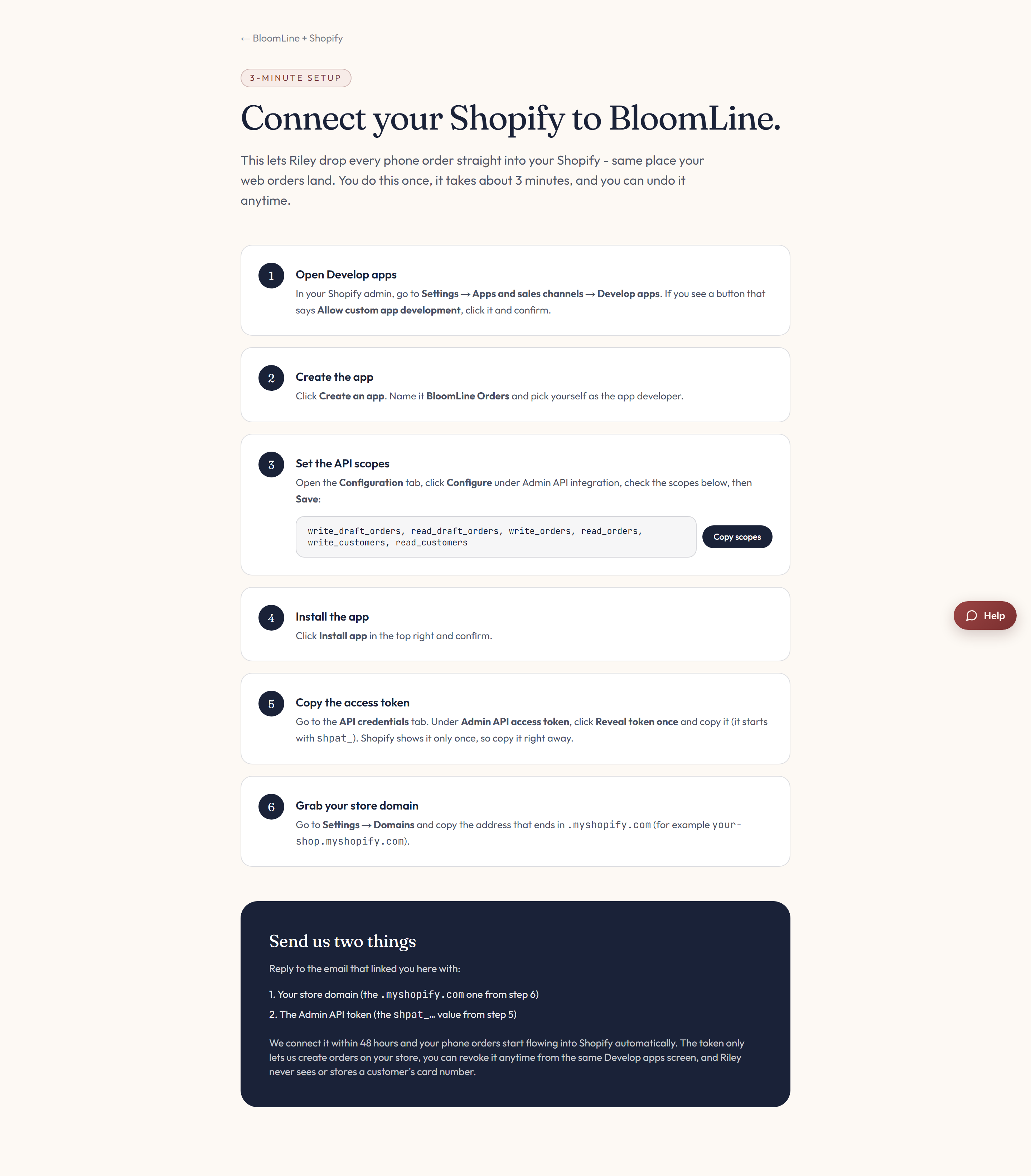
BloomLine needs exactly two things from your Shopify store:
- Your store domain - the xxx.myshopify.com address of your store.
- An Admin API access token - generated by creating a custom app inside your Shopify admin.
Step 1: Create a custom app and copy the token
- In your Shopify admin, create a custom app for BloomLine.
- Copy the Admin API access token the app generates.
- Note your store domain in the xxx.myshopify.com format.
The connect page at /partners/shopify/connect walks through this as "Send us two things" with an instruction block for each item.
Step 2: Enter both in your dashboard
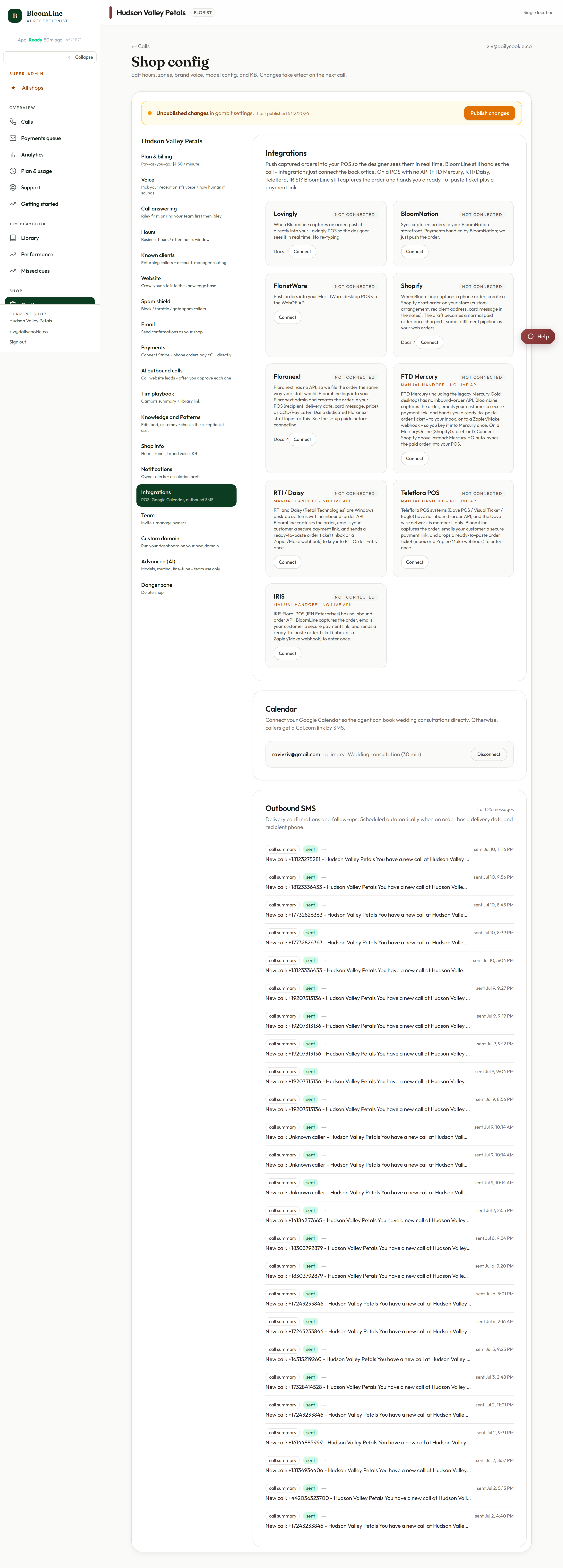
- Open Shop config > Integrations.
- Find the Shopify connector block.
- Paste your store domain into the store domain field and the token into the Admin API access token field.
- Click Publish changes when the bar appears so the connection goes live.
Prefer not to do it yourself? You can also send both items to the BloomLine team, exactly as described on the connect page, and we will wire it up for you.
What changes on your next phone order
Riley takes the order on the call, and it pushes into Shopify as a web-style order. From there it flows into whatever fulfillment routine your shop already runs - pick lists, printed tickets, delivery routing - with no manual entry.
Want to hear it first?
The Shopify partner page has a sample call recording under "Hear BloomLine before you decide" so you can listen to how Riley handles a real order before you connect anything.
Still stuck? Submit a ticket from this help center and we'll take it from there.
Was this article helpful?
That’s Great!
Thank you for your feedback
Sorry! We couldn't be helpful
Thank you for your feedback
Feedback sent
We appreciate your effort and will try to fix the article
