Connect BloomNation and your web orders and phone orders run on the same playbook: Riley takes the call, the caller pays by SMS, and your designer sees the order live in BloomNation just like an order from your website.
Why pair BloomLine with BloomNation
The BloomNation partner page covers the pitch in full, but the short version:
- Web and phone on the same playbook - the way your BloomNation store sells is the way Riley sells on the phone.
- SMS payment - callers get a payment link by text, so no card numbers are read out over the phone.
- Your designer sees the order live - the phone order lands in BloomNation as it happens, not hours later from a voicemail.
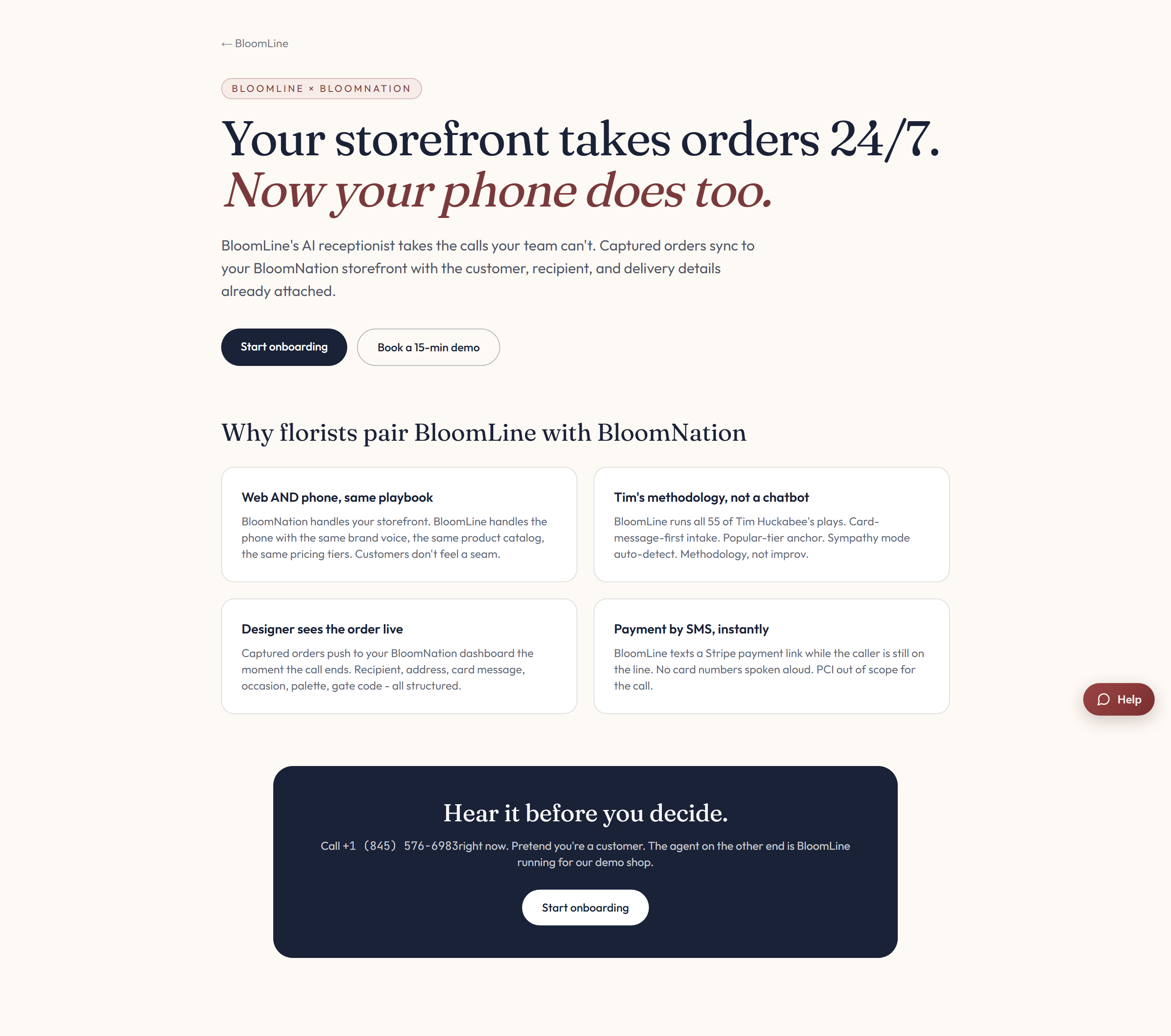
The partner page also has a sample call recording ("Hear it before you decide") if you want to listen to Riley handle an order first.
What you need
- Your BloomNation store slug - the identifier for your store.
- An API key for your BloomNation account.
Connect it in your dashboard
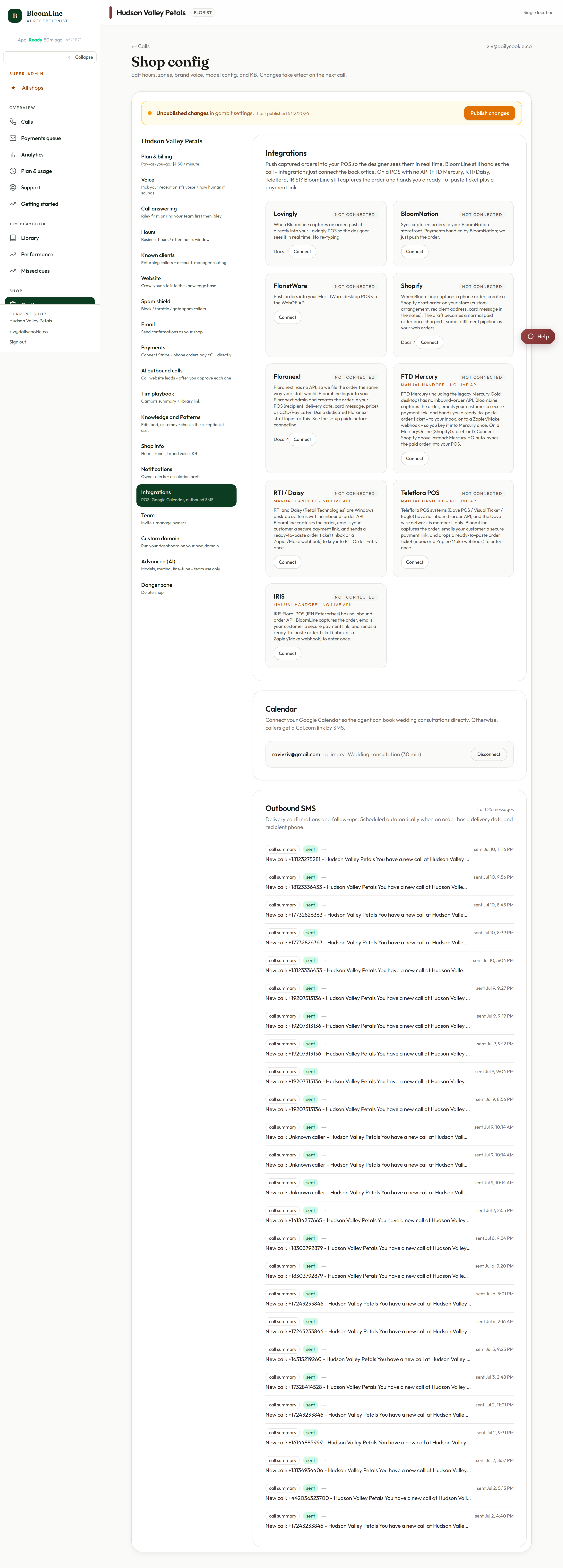
- Open Shop config > Integrations.
- Find the BloomNation connector block.
- Enter your store slug and API key in the two fields.
- Click Publish changes to push the connection live.
After you connect
From the next call on, orders Riley takes push into BloomNation as web-style orders. If you cannot locate your store slug or API key, open a ticket and we will walk through it with you.
Still stuck? Submit a ticket from this help center and we'll take it from there.
Was this article helpful?
That’s Great!
Thank you for your feedback
Sorry! We couldn't be helpful
Thank you for your feedback
Feedback sent
We appreciate your effort and will try to fix the article