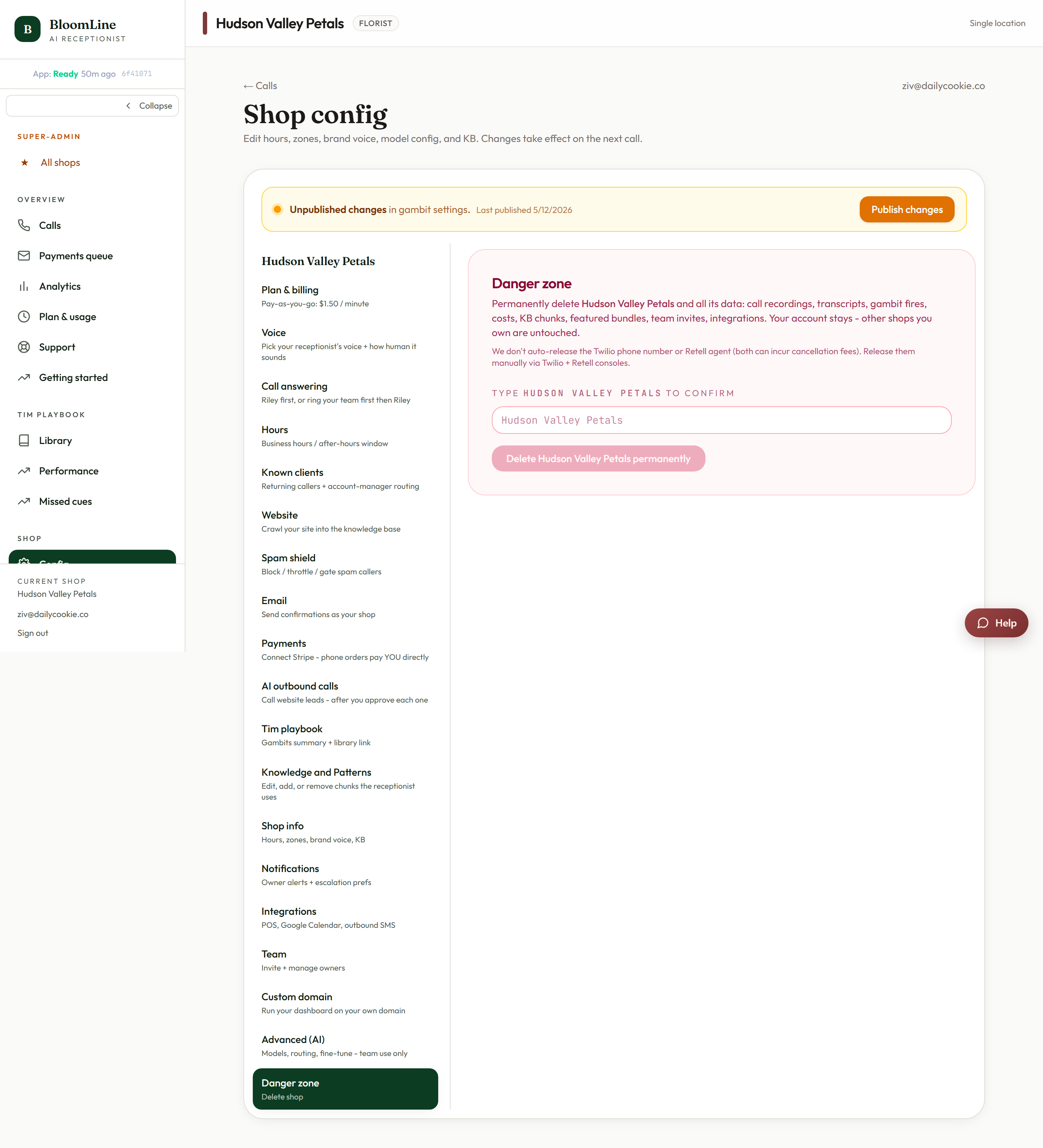
If you need to remove your shop from BloomLine entirely, the Danger zone tab does it - permanently. This is the one control in the dashboard with no undo, so this article is as much about what to check first as about the button itself. It lives at https://km-florist-receptionist.vercel.app/dashboard/shop?tab=danger.
Before you delete: a short checklist
- Turn off call forwarding first. If your shop line still forwards to BloomLine after the shop is deleted, callers will hit a dead number. Dial your carrier's disable code - it is printed on your phone guide (https://km-florist-receptionist.vercel.app/phone-guide) and in the forwarding cheat sheet at https://km-florist-receptionist.vercel.app/dashboard/setup/forwarding-help.
- Download any recordings you need to keep. Grab them from the Recordings page (https://km-florist-receptionist.vercel.app/dashboard/shop/recordings) while you still have access.
- Settle billing. Check your Plan & billing tab so there are no surprises on the final usage invoice.
- Multi-location owners: confirm you are on the right shop. Check the shop switcher in the header before you open this tab. Deleting the wrong location is the worst version of this mistake.
How deletion works
- Open https://km-florist-receptionist.vercel.app/dashboard/shop?tab=danger.
- Click the Delete permanently button - it is labeled with your shop's name, so you can see exactly what you are about to remove.
- Complete the confirmation step. The confirmation exists precisely because this cannot be taken back.
Permanent means permanent
Once confirmed, the shop is gone - its configuration, its history, everything tied to it. There is no restore button and no grace period. If there is any chance you'll want the shop back (a seasonal closure, a sale in progress, a pause while you renovate), do not delete - open a support ticket instead and tell us your situation. Turning off call forwarding already stops calls from reaching BloomLine, which quietly covers most "I just want it off for now" cases without destroying anything.
Still stuck? Submit a ticket from this help center and we'll take it from there.
Was this article helpful?
That’s Great!
Thank you for your feedback
Sorry! We couldn't be helpful
Thank you for your feedback
Feedback sent
We appreciate your effort and will try to fix the article