Riley answers customer questions from a knowledge base built out of your own website - your delivery info, your specialties, your policies. You control that source from the Website tab at https://km-florist-receptionist.vercel.app/dashboard/shop?tab=website, and you can add anything your site doesn't cover in the Setup Assistant's Knowledge step.
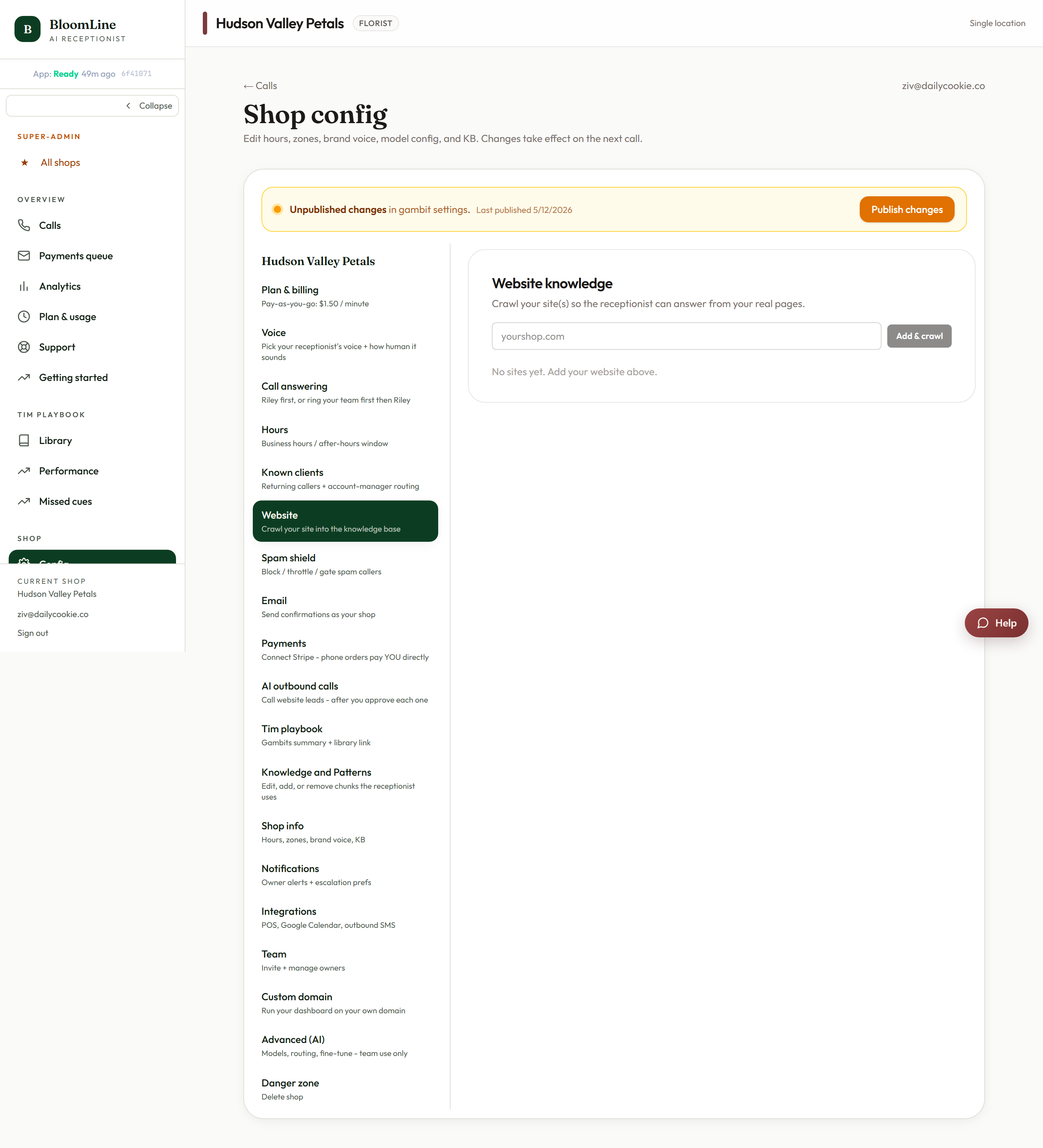
How website knowledge works
When you connect your site, BloomLine crawls it and turns the content into knowledge Riley can quote on calls. Ask Riley "do you do same-day delivery?" and the answer comes from what your site says - in your shop's own words.
Connect or update your website
- Open https://km-florist-receptionist.vercel.app/dashboard/shop?tab=website.
- Enter your site in the website URL field (for example yourshop.com).
- Use Recrawl whenever your site changes - new seasonal collection, updated delivery fees, a new policy page. Recrawling refreshes the knowledge Riley quotes from so the phone always matches the website.
- Use Remove if you want to disconnect the site entirely.
When to recrawl
- You changed prices, delivery zones, or hours on your site.
- You published or removed a product collection.
- You updated a policy Riley might be asked about (substitutions, refunds, order cutoffs).
A good habit: any day you edit your website, hit Recrawl before you close the laptop.
Add what your website doesn't say
Plenty of shop knowledge never makes it onto the website - "we don't deliver to the hospital on weekends", "ask for Maria for anything wedding related". The Setup Assistant's Knowledge step (https://km-florist-receptionist.vercel.app/dashboard/setup) is a free-text space for exactly this: anything not on your website that Riley should know.
Fixing a specific wrong fact
If Riley keeps saying one specific thing wrong, you don't need to recrawl or rewrite your site - you can edit the exact knowledge chunk it quotes from in the Knowledge and Patterns tab. See "Fix a wrong fact Riley keeps saying: edit the knowledge base" for the step-by-step.
Verify what Riley knows
After a recrawl or a knowledge update, place a test call from the Opening line studio and ask the questions your customers ask. What you hear is what they will hear.
Still stuck? Submit a ticket from this help center and we'll take it from there.
Was this article helpful?
That’s Great!
Thank you for your feedback
Sorry! We couldn't be helpful
Thank you for your feedback
Feedback sent
We appreciate your effort and will try to fix the article