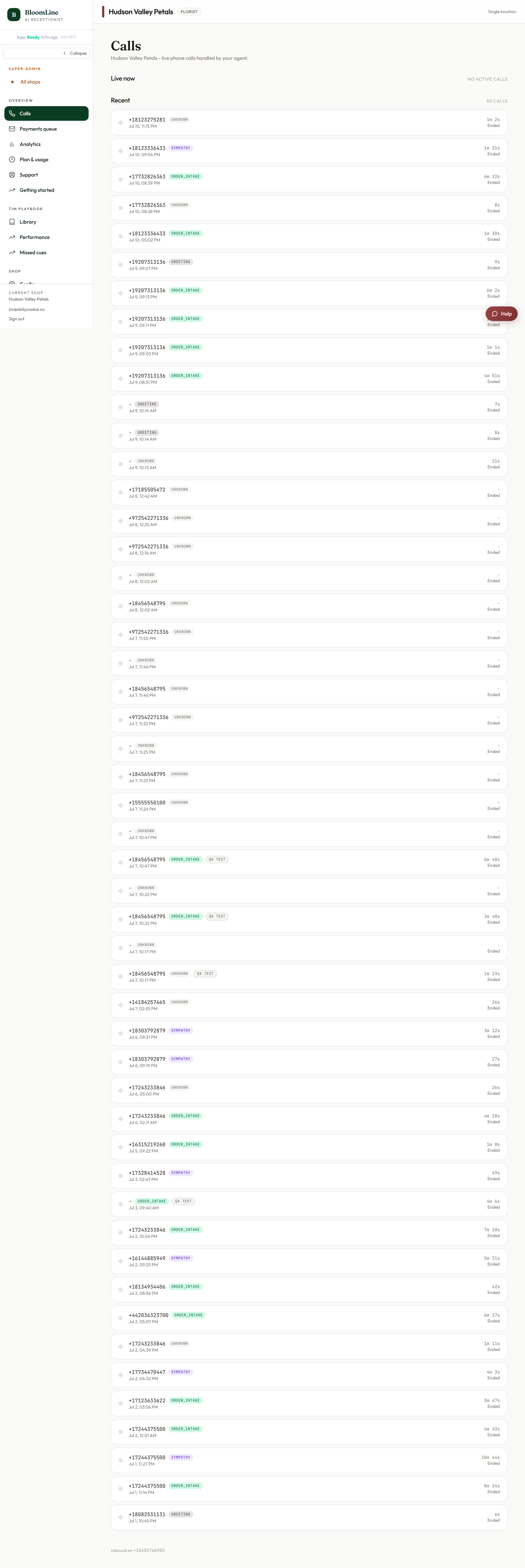
Everything in BloomLine lives one click away in the left sidebar, which is organized into three sections: your day-to-day overview pages, the Tim Playbook, and your shop's configuration. Here is the map, plus the header controls and how to sign out.
Section 1: Overview - your daily pages
- Calls: the live-updating list of your shop's phone calls. This is also your home page - opening the dashboard root takes you straight here.
- Payments queue: mid-call payment links that need attention - copy, resend, or cancel them.
- Analytics: charts of call volume, intents, and results.
- Plan & usage: your minutes and billing.
- Support: open and track tickets with the BloomLine team.
- Getting started: your onboarding checklist.
Section 2: Tim Playbook - how Riley sells
- Library: every sales play (gambit) Riley can use, with per-play controls.
- Performance: which plays win on real calls.
- Missed cues: moments where a play should have fired but did not.
Section 3: Shop - your configuration
- Config: the full shop settings area with its tab rail (hours, voice, integrations, and more).
- Opening line: the studio where you craft and test Riley's greeting.
- Fine-tune: training runs built from your graded calls.
- Mystery shop: scored AI test calls against your line.
- Recordings: browse and manage call recordings.
- Add location: onboard a second shop with the website scan.
The header
- Shop switcher: if you run more than one location, the header shows a Switch control to change the active shop. With one shop it simply reads "Single location."
- Deploy status chip: a small chip that shows the status of the latest dashboard deployment - useful to know when a just-shipped improvement has finished rolling out.
Collapsing the sidebar and mobile use
Need more room for a wide table? The collapse toggle shrinks the sidebar down to icons, and the dashboard remembers your choice between visits. On a phone, the sidebar tucks behind a hamburger button that opens and closes it.
Signing out
The Sign out button lives in the sidebar. Click it any time - your shop keeps answering calls whether you are signed in or not, so signing out never interrupts Riley.
Still stuck? Submit a ticket from this help center and we'll take it from there.
Was this article helpful?
That’s Great!
Thank you for your feedback
Sorry! We couldn't be helpful
Thank you for your feedback
Feedback sent
We appreciate your effort and will try to fix the article