Connect FloristWare and the orders Riley takes on the phone push straight into your FloristWare system, so phone business flows through the same pipeline as everything else your shop runs there.
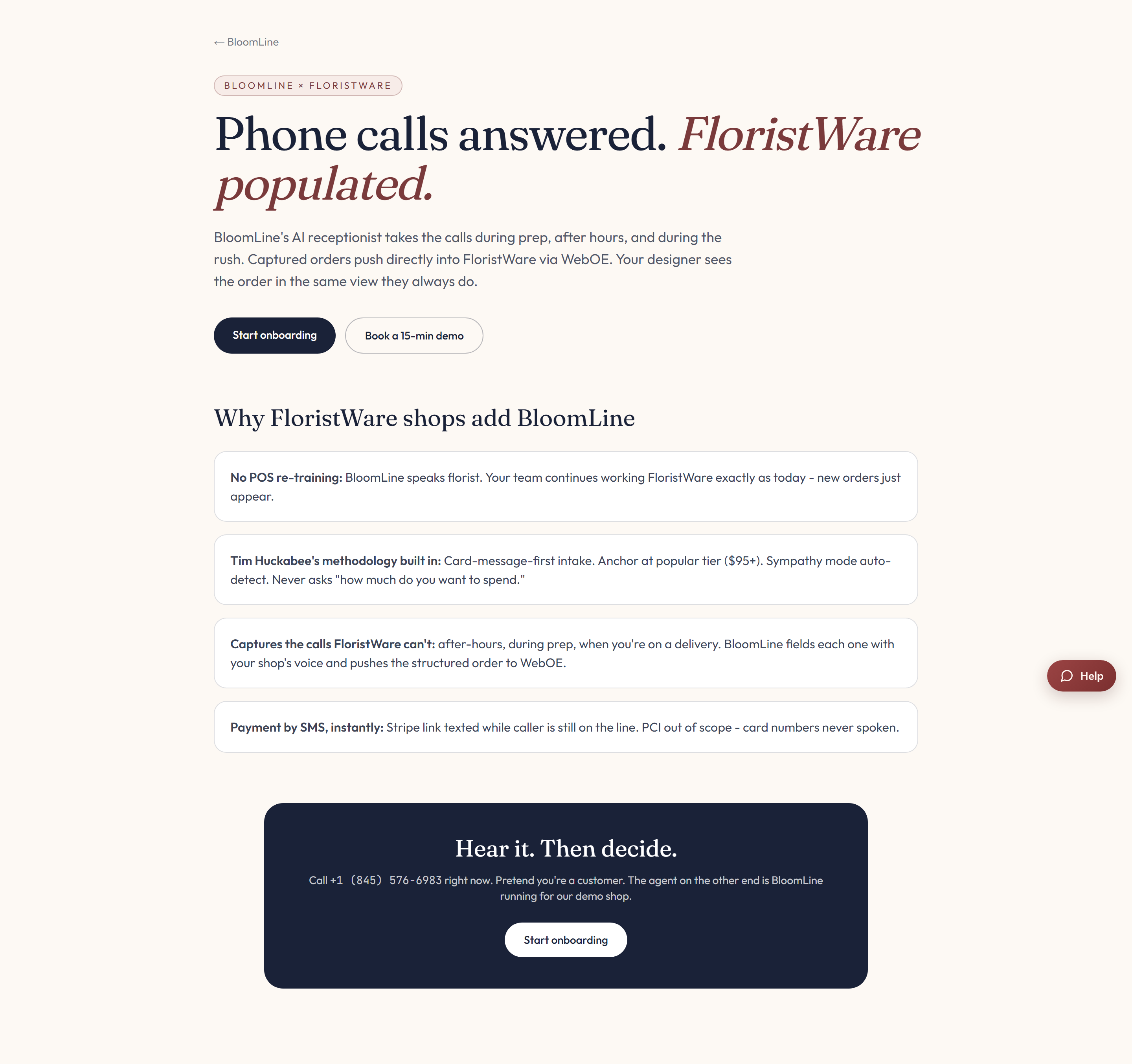
Why FloristWare shops add BloomLine
The FloristWare partner page makes the case for pairing the two, and it includes a sample call recording ("Hear it. Then decide.") so you can listen to Riley handle a real florist call before connecting anything.
What you need
The FloristWare connector takes two credentials:
- Your FloristWare account ID.
- A WebOE API token - the token FloristWare issues for its WebOE order-entry interface.
Connect it in your dashboard
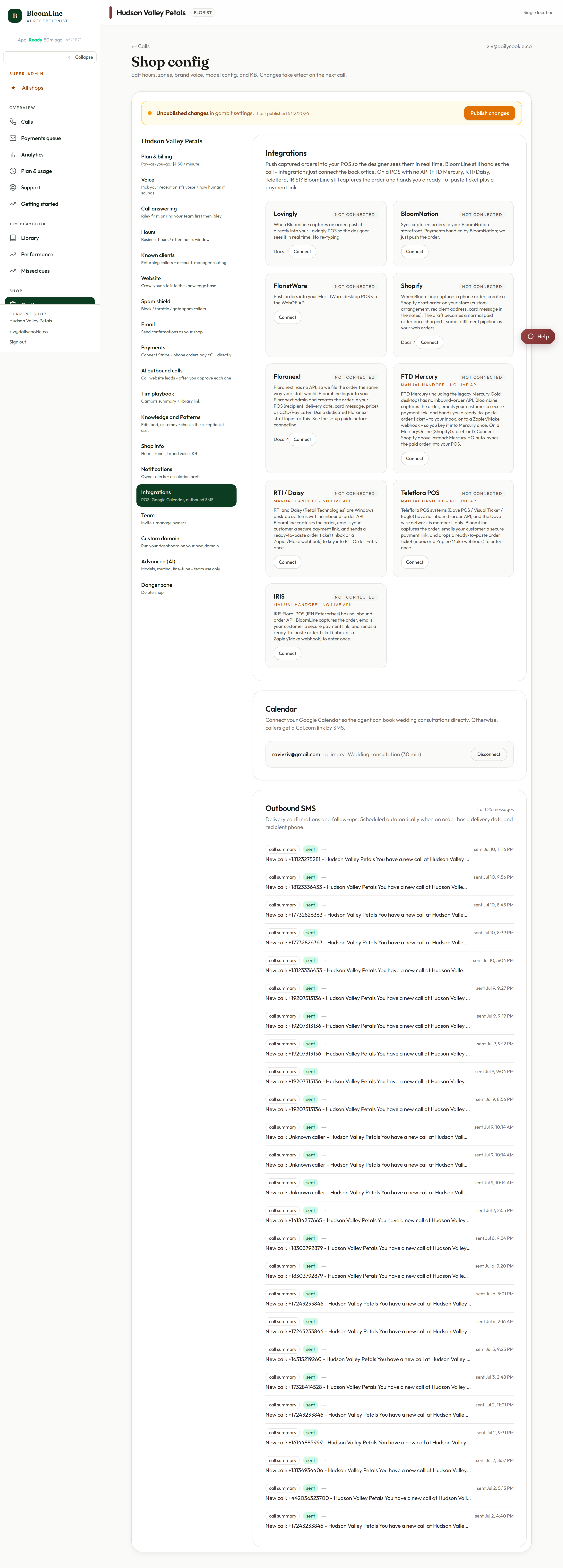
- Open Shop config > Integrations.
- Find the FloristWare connector block.
- Enter your account ID and WebOE API token in the two fields.
- Click Publish changes when the bar appears at the top of the page.
What happens on your next phone order
Riley takes the order on the call and it pushes into FloristWare as a web-style order. Your team fulfills it exactly the way they fulfill everything else - same screens, same routine, no re-keying from call notes.
If you are not sure where to find your WebOE API token in FloristWare, open a ticket and we will point you to it, or set up the connection together.
Still stuck? Submit a ticket from this help center and we'll take it from there.
Was this article helpful?
That’s Great!
Thank you for your feedback
Sorry! We couldn't be helpful
Thank you for your feedback
Feedback sent
We appreciate your effort and will try to fix the article