Fine-tuning teaches Riley from your own shop's best calls. You grade real calls, start a training run built from those grades, and then compare the fine-tuned Riley against the baseline on your Analytics page. Over time, Riley sounds less like a generic receptionist and more like your best day on the phones.
Step 1: grade your calls
Training data comes from the quality labels you put on real calls. On any call's detail page (open it from /dashboard/calls) you'll find the quality rating control with five labels:
- Exemplar: exactly how you want every call handled. These are the gold examples training learns from.
- Good and Acceptable: fine, unremarkable calls.
- Poor and Bad: calls that went wrong. Marking these teaches training what to avoid.
You can add optional notes with each grade. The more calls you grade - especially at the Exemplar and Bad ends - the more signal a training run has to work with. Grading a handful of calls a week is enough to build a useful set.
Step 2: start a training run
- Go to Fine-tune in the sidebar (/dashboard/shop/training).
- Choose a provider from the provider select.
- Click Start training.
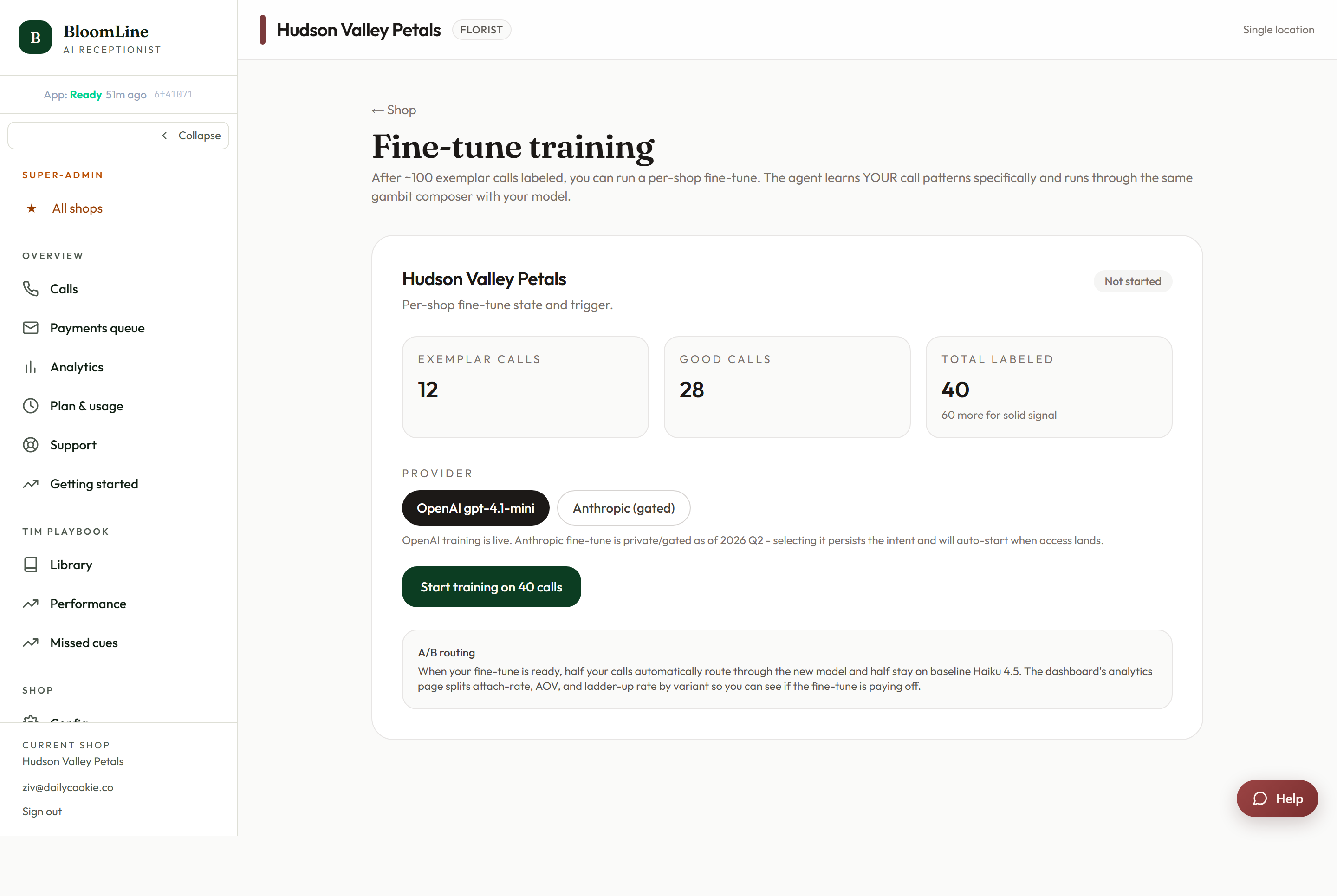
Your run appears in the job status list on the same page. Training runs move through statuses: Queued, Training, Ready, and occasionally Failed or Paused. The same statuses are visible in the fine-tune panel on Shop config's Advanced (AI) tab - though that tab is flagged for team use only, so there's no need to change anything there.
Step 3: compare against baseline in Analytics
Once a run is Ready, open Analytics (/dashboard/analytics) and look at the A/B baseline vs fine-tuned comparison. It shows how calls handled by the fine-tuned Riley perform against the baseline, on your real traffic. Let the comparison accumulate calls before judging - a single afternoon of data is noise, a couple of weeks is a verdict.
Good habits
- Grade first, train second. A training run is only as good as the grades behind it. If you've barely graded anything, spend a week labeling calls before starting a run.
- Be stingy with Exemplar. If everything is an Exemplar, nothing is. Reserve it for calls you'd genuinely play to a new hire as "do it like this".
- Grade Bad calls too. Negative examples matter as much as positive ones.
- Pair with mystery shops. After a run goes live, dial a few mystery shop scenarios to hear the difference and get it scored on the 12-point rubric.
If a run shows Failed, just start another - and if it fails repeatedly, we're happy to look at it with you.
Still stuck? Submit a ticket from this help center and we'll take it from there.
Was this article helpful?
That’s Great!
Thank you for your feedback
Sorry! We couldn't be helpful
Thank you for your feedback
Feedback sent
We appreciate your effort and will try to fix the article