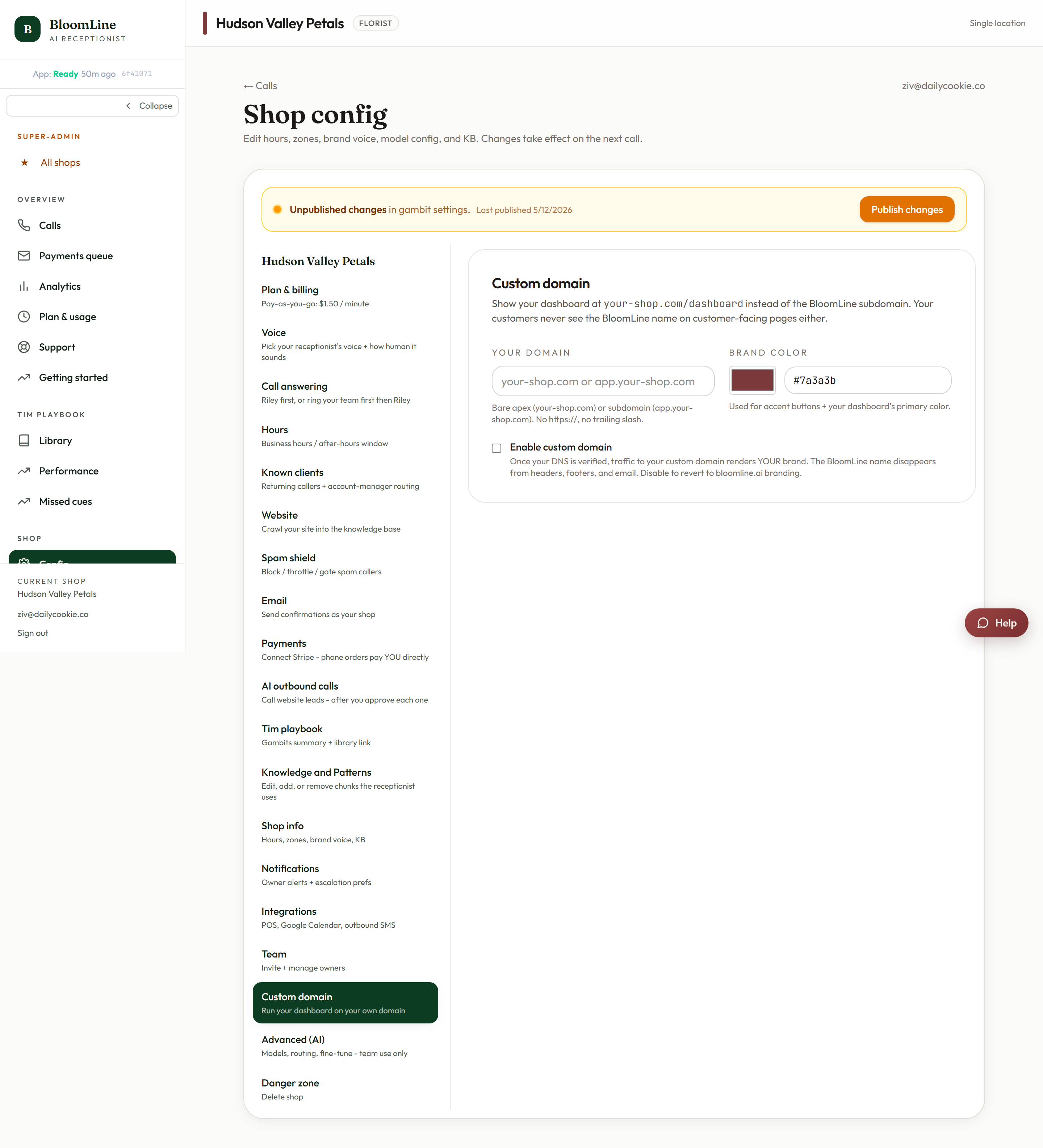
You can serve your BloomLine dashboard from your own domain - dashboard.yourshop.com instead of a BloomLine address - with your brand color applied. It takes one DNS record on your side and one click to verify. The settings live in the Custom domain tab at https://km-florist-receptionist.vercel.app/dashboard/shop?tab=custom-domain.
Set it up
- Open https://km-florist-receptionist.vercel.app/dashboard/shop?tab=custom-domain.
- Enter your domain - either the bare domain (your-shop.com) or a subdomain (app.your-shop.com). A subdomain is the common choice, since your main domain usually serves your website.
- Set your brand color as a #hex value so the dashboard matches your shop's look.
- Add the required DNS record at your domain registrar, pointing your chosen domain at BloomLine. This happens wherever you manage your domain (GoDaddy, Namecheap, Cloudflare, etc.).
- Back in the tab, click Check DNS now. When the record is detected, your dashboard starts serving on the custom domain.
If Check DNS now doesn't pass
- DNS changes take time to propagate - anywhere from minutes to a few hours depending on your registrar. Wait and click Check DNS now again.
- Double-check you created the record on the exact name you entered in the domain field (app.your-shop.com and your-shop.com are different records).
- Watch for a stray trailing dot or a typo in the record value.
What changes and what doesn't
- Your dashboard becomes reachable at your own domain, branded with your color - nice for shops that give staff or partners dashboard access and want everything under one brand roof.
- Nothing about your phone line, your receptionist, or your data changes. This is purely about the web address your team types in.
It's on your checklist too
The Getting started checklist (https://km-florist-receptionist.vercel.app/dashboard/getting-started) includes Set your custom domain as an optional item - it is a nice-to-have, not required to go live. Skip it happily if a BloomLine URL is fine for you.
Still stuck? Submit a ticket from this help center and we'll take it from there.
Was this article helpful?
That’s Great!
Thank you for your feedback
Sorry! We couldn't be helpful
Thank you for your feedback
Feedback sent
We appreciate your effort and will try to fix the article