If you are an FTD shop running Mercury HQ, pairing it with BloomLine gives you one view of your whole order flow: direct phone orders taken by Riley and your wire-ins, side by side. And because Riley collects payment directly, your direct phone orders skip FTD clearing entirely.
Why pair the two
The Mercury HQ partner page covers the full case, built around two ideas:
- Direct calls and wire-ins in one view - orders Riley takes on your phone line land alongside your Mercury wire-ins, so nothing gets fulfilled from a sticky note while the wire queue gets all the attention.
- Direct payment with no FTD clearing - phone orders Riley takes are paid directly to you, so those dollars do not route through the FTD clearing house.

Connect it in your dashboard
- Open Shop config > Integrations.
- Find the FTD Mercury connector block.
- Fill in the connector's fields and click Publish changes when the bar appears.
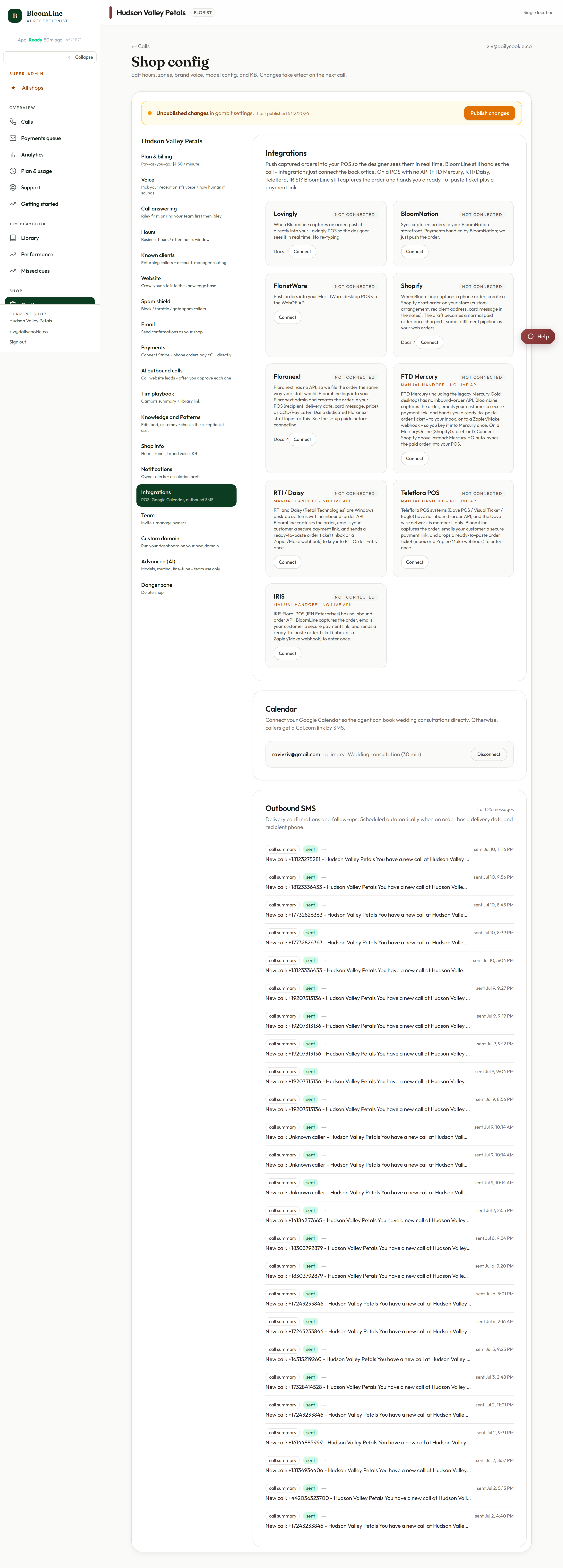
If anything in the connector is unclear for your particular Mercury setup, open a ticket and the team will complete the connection with you.
What your team sees
Once connected, a phone order Riley takes shows up in your Mercury workflow as a web-style order. Designers work one queue, wire-ins keep flowing as they always have, and you stop losing direct orders to missed calls during rush.
Related reading
Riley also texts callers payment links during the call - that is how direct payment happens without a card number read out loud. See the Payments articles in this help center for how mid-call payment links work and where the money lands.
Still stuck? Submit a ticket from this help center and we'll take it from there.
Was this article helpful?
That’s Great!
Thank you for your feedback
Sorry! We couldn't be helpful
Thank you for your feedback
Feedback sent
We appreciate your effort and will try to fix the article